How to connect to your Space Station 14 server
🔌 How to connect to your Space Station 14 server
Once your Space Station 14 server is online, players can connect using the Space Station 14 launcher.
In this guide, we’ll show:
- Where to find your server address
- How to join via the server browser
- How to use Direct Connect
- What happens during the first connection
📍 Find your server address (IP & port)
Open your server in the OXY.Games control panel.
On the right side of the screen, you’ll see the Address field containing your server’s IP:PORT.

💡 Tip You can simply click the address to copy it. You’ll need this for Direct Connect or sharing it with players.
🖥️ Open the Space Station 14 launcher
Players must start the game using Space Station Launcher.exe.
Once opened:
- Go to the Servers tab at the bottom
- This opens the server browser
🔎 Option 1: Join via the server browser
In the Servers tab, players can search for your server by name.
For example, searching for part of the name like OXY will show matching servers.
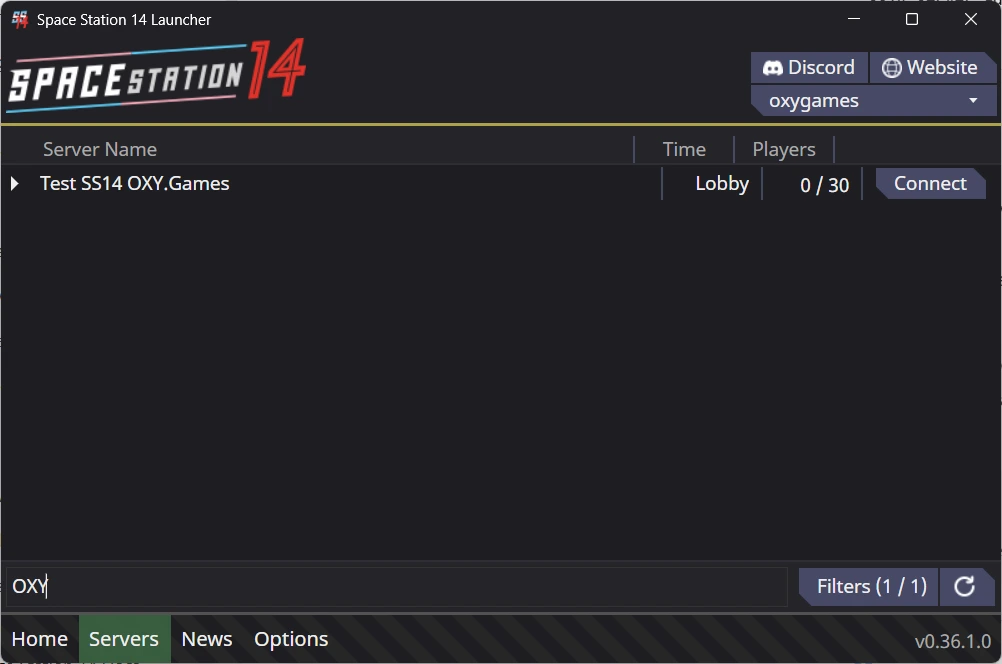
When your server appears:
- Click Connect to join
- The server must be online and public to appear in the list
ℹ️ Note Private or whitelisted servers may not always show up in the browser. In that case, use Direct Connect.
🔗 Option 2: Direct Connect (recommended)
Click Direct connect to server in the launcher.
Paste your server address.
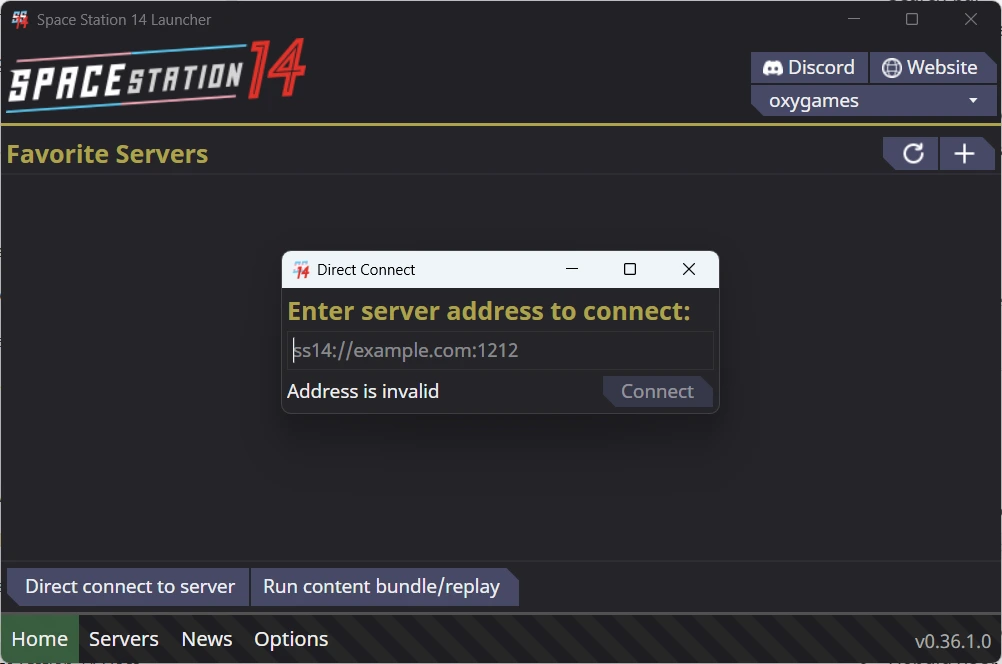
From this screen, players can also:
- Add the server to Favorites
- Quickly reconnect later without re-entering the address
Click Connect to join the server.
⏳ First connection: downloading content
When connecting for the first time, the launcher will download required server content.
This is completely normal and only happens once (or after major updates).
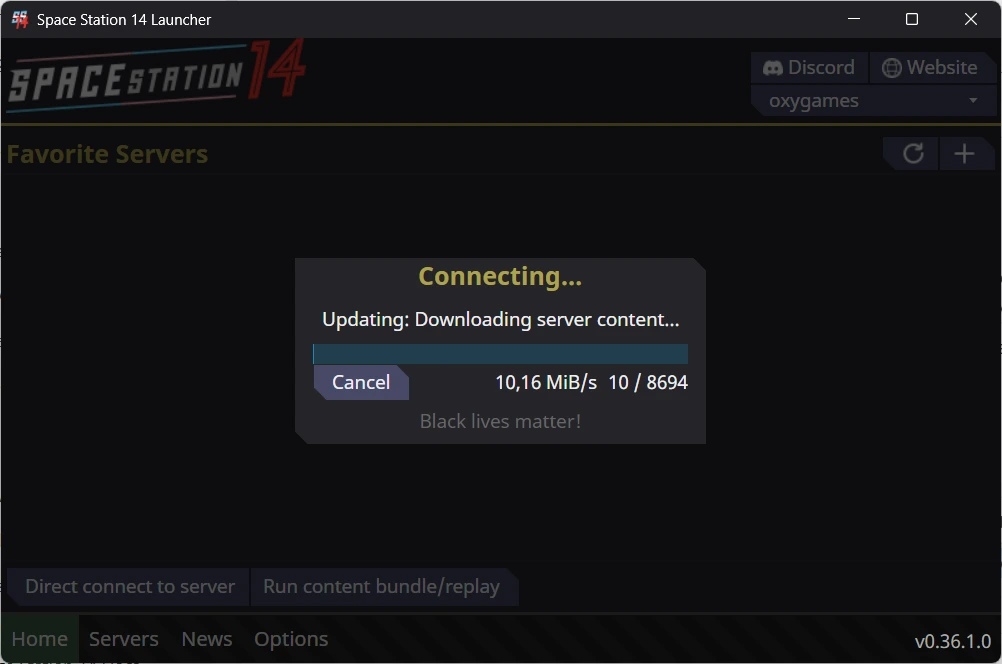
⚠️ Do not cancel this process unless it’s stuck for a long time.
🟢 Connected to the server
Once the download is complete:
- The game will finish loading
- You’ll be connected to the server
- You can proceed to character setup or the lobby
Your Space Station 14 server connection is now complete 🚀
❗ Troubleshooting tips
- Make sure the server status is Online
- Double-check the
IP:PORT - Use Direct Connect if the server doesn’t appear in the browser
- First connection may take longer due to downloads
If players still can’t connect, our support team is happy to help.
➡️ What’s next?
Continue with:
- Basic server configuration
- Admin & moderation basics
- Enabling a whitelist
You’ll find these guides in the Space Station 14 documentation.