

Databases
To enhance your gaming experience, OXY.Games allows you to create and manage SQL databases (MariaDB) via a user-friendly control panel.
- Every server includes one free database.
- Need more? Contact our support team.
- ⚠️ Note: Databases are for in-server use only (e.g. plugins, mods) and not intended for external website hosting.
📦 Creating a Database
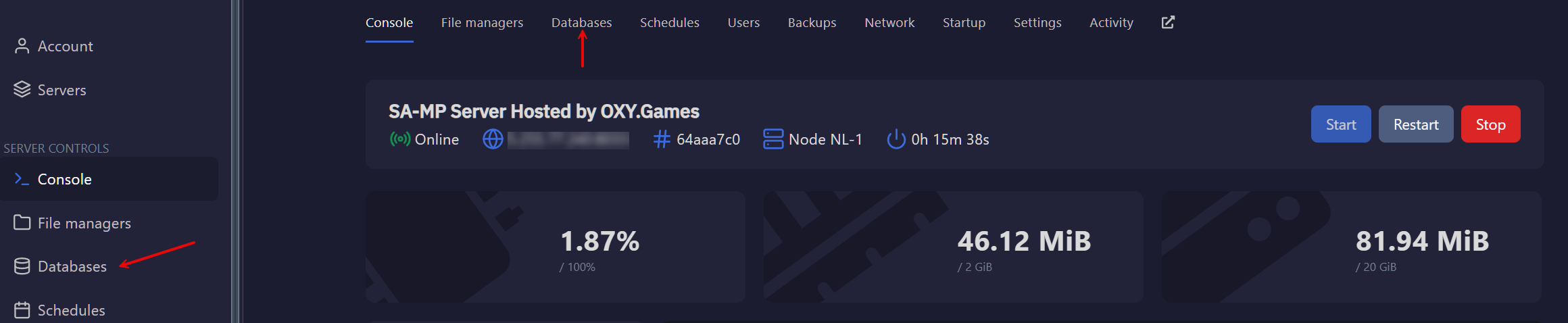
Section titled “📦 Creating a Database”- Go to the Databases section in your game panel.
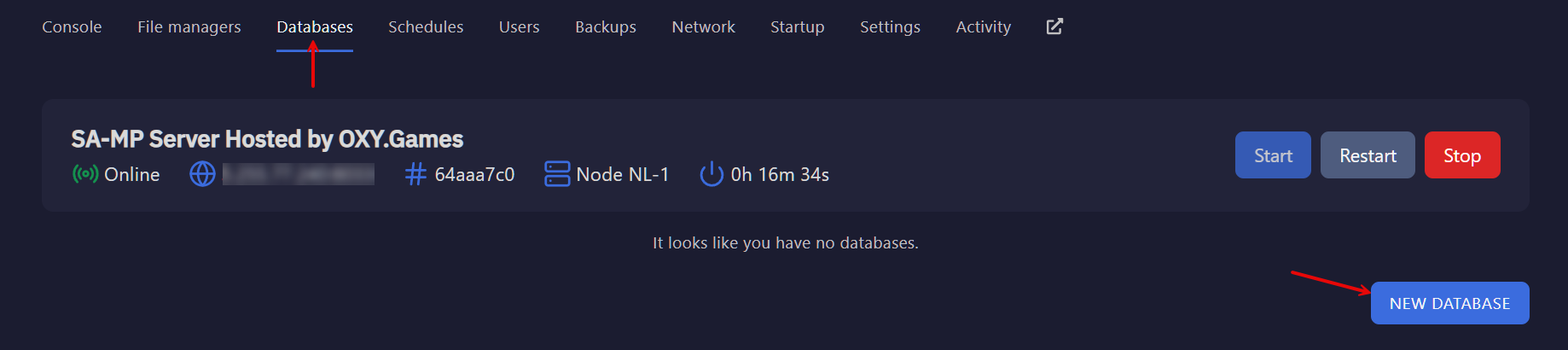
- Click New Database.
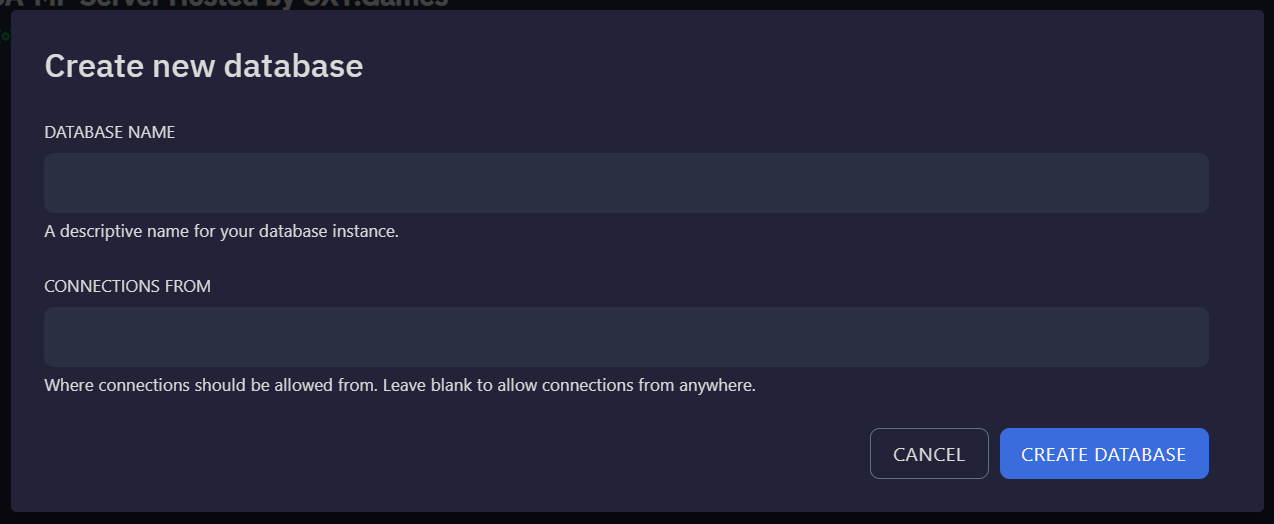
- Fill in the configuration pop-up:
- Database Name: Choose something descriptive.
- Allowed IPs: Add IPs that should be allowed to connect.
- Leave blank to allow all IPs (not recommended).
- For best security: enter your game server’s IP only.
🔧 Managing Your Database
Section titled “🔧 Managing Your Database”Once created, your database appears in the list.
Click the info icon to view login credentials and options.

You can now use your database for:
- Minecraft plugins that require storage (e.g. LuckPerms, Dynmap)
- Custom scripts or mods that store stats or player data
- Remote connections using tools like HeidiSQL, DBeaver, or MySQL Workbench
🌐 Using phpMyAdmin (Web Interface)
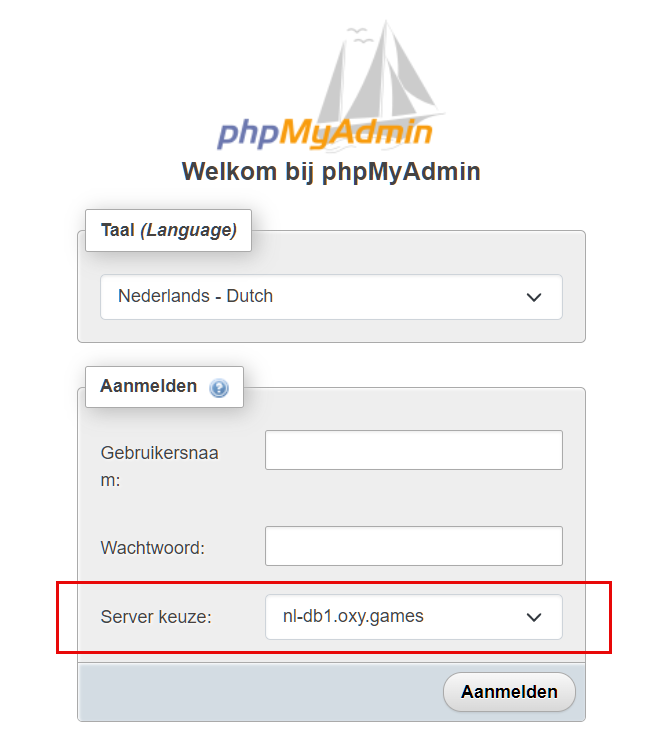
Section titled “🌐 Using phpMyAdmin (Web Interface)”We provide centralized web access via phpMyAdmin:
Use your database credentials from the control panel when logging in.
Make sure the server (host) matches what’s shown in your database info.
What you can do with phpMyAdmin:
Section titled “What you can do with phpMyAdmin:”- View and edit your data
- Create tables, columns, indexes
- Run raw SQL queries
- Import/export full databases
❓ Need Help?
Section titled “❓ Need Help?”If you’re unsure about how to connect your plugin or you’re seeing database errors:
- Check your plugin config file for correct host, username, password, and database name
- Ask for help via a support ticket
- Or chat with us on Discord
💡 Tip: Always restart your server after linking a plugin to a new database!