

Renewal Guide
You can manually renew your service via the OXY.Games customer area.
This guide explains step by step how to do that.
💡 You can also enable automatic renewals. See automatic renewal.
📦 1. Go to your game servers
Section titled “📦 1. Go to your game servers”Log in at my.oxy.games and in the left menu go to Products/Services > Game Servers.
Select the server you want to renew and click Renew at the top.
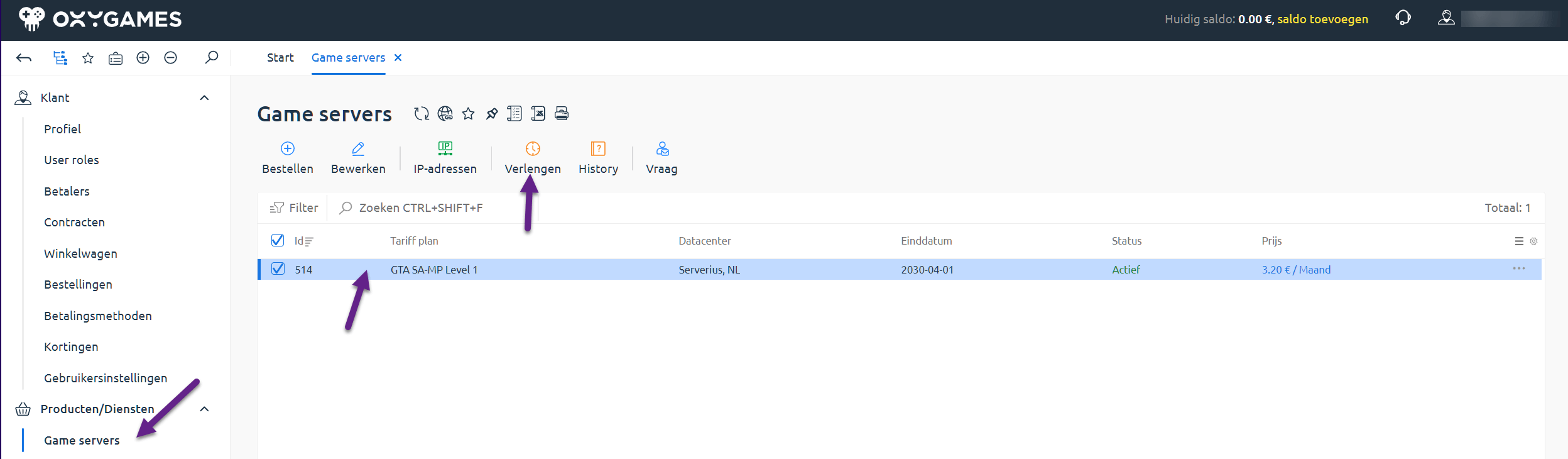
⏳ 2. Choose renewal period
Section titled “⏳ 2. Choose renewal period”You’ll now see:
- The expiration date of your current service
- The current status
- Available renewal options and their corresponding end date
Choose a period and click Add to Cart.
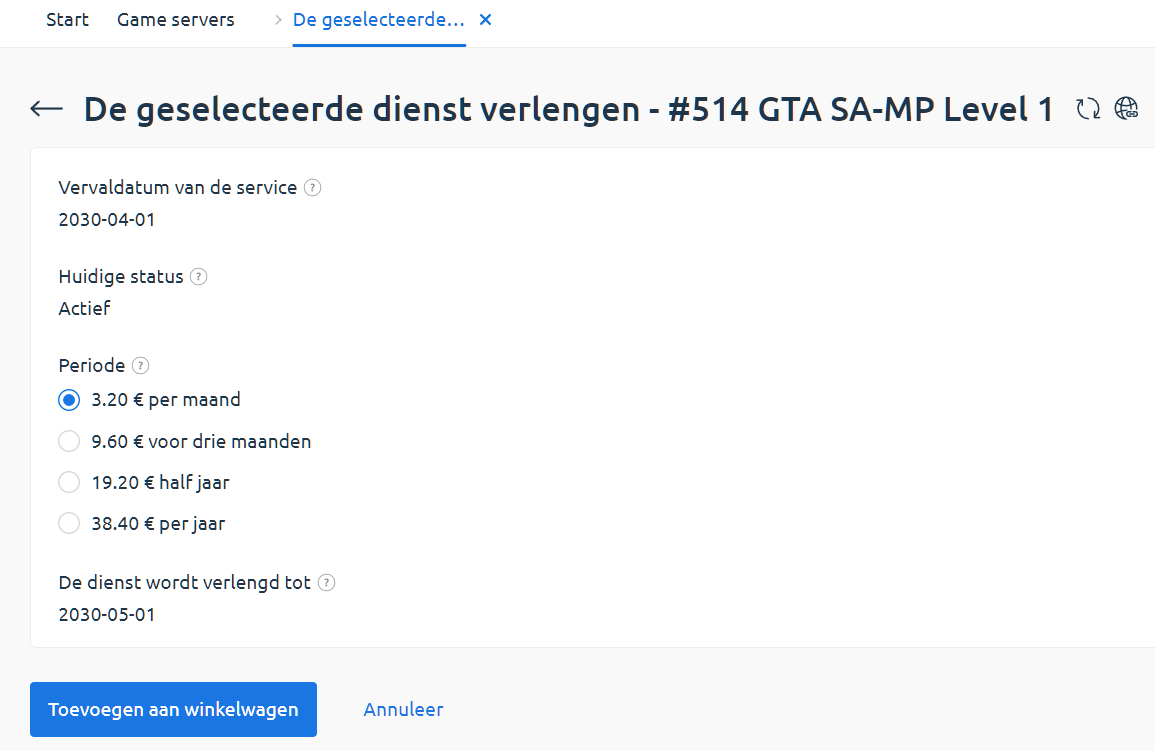
🛒 3. Review your cart
Section titled “🛒 3. Review your cart”Your shopping cart shows the selected item and its cost.
You can also enter a promo code if you have one.
Click Proceed to Checkout to continue.
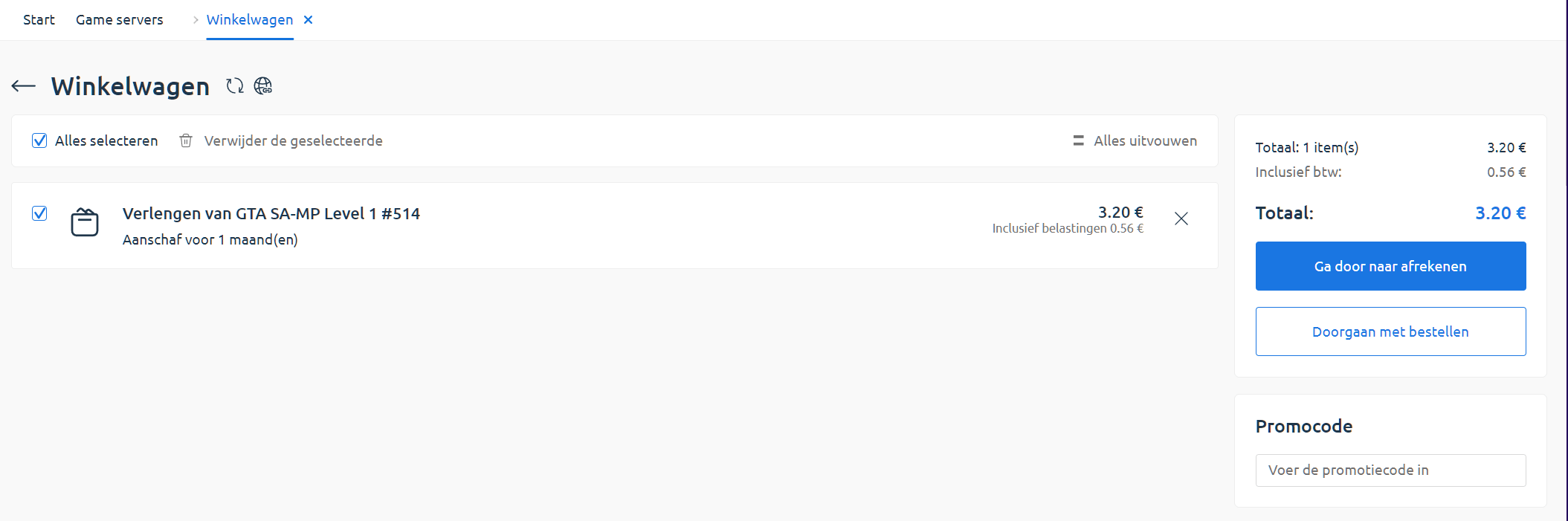
👤 4. Choose or create a payer
Section titled “👤 4. Choose or create a payer”If you don’t have a payer profile yet, click Add New to create one.
Then select the payer and click Select.
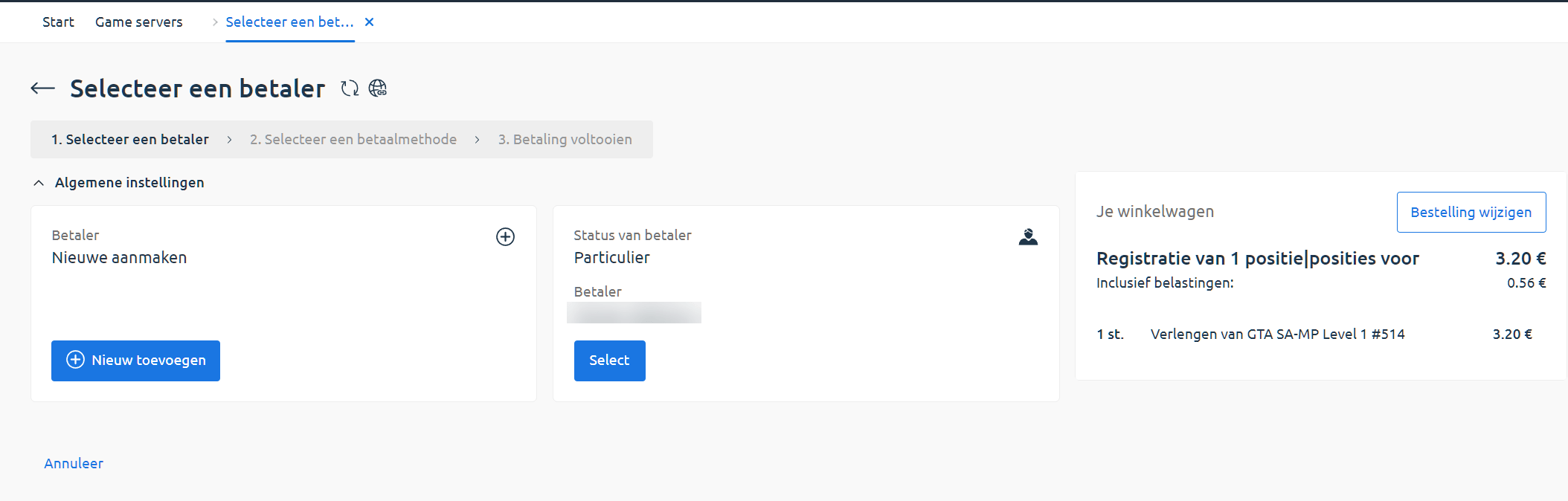
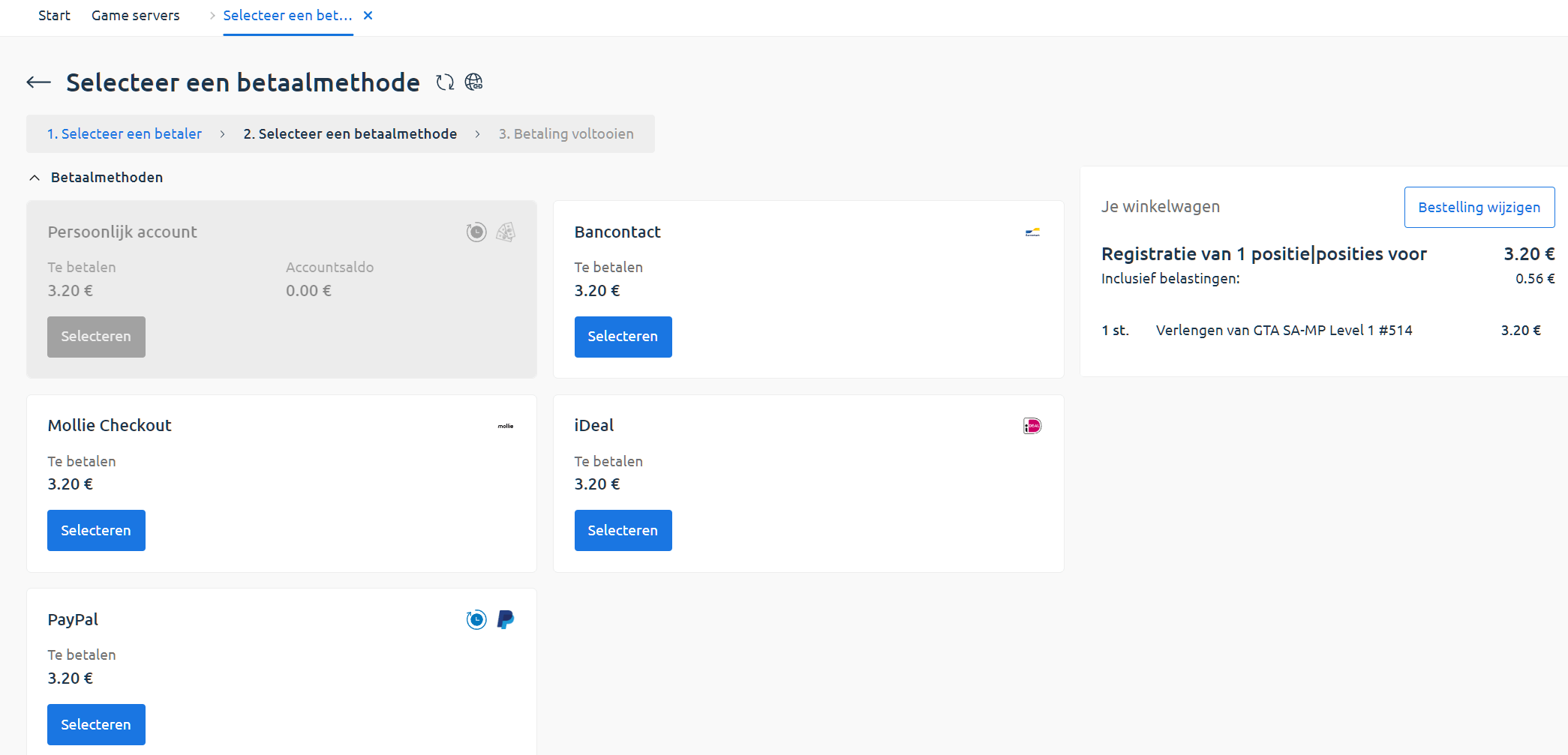
💳 5. Choose payment method
Section titled “💳 5. Choose payment method”You’ll see a list of available payment methods.
If you have enough account balance, you can choose to pay using that too.
✅ 6. Confirm your order
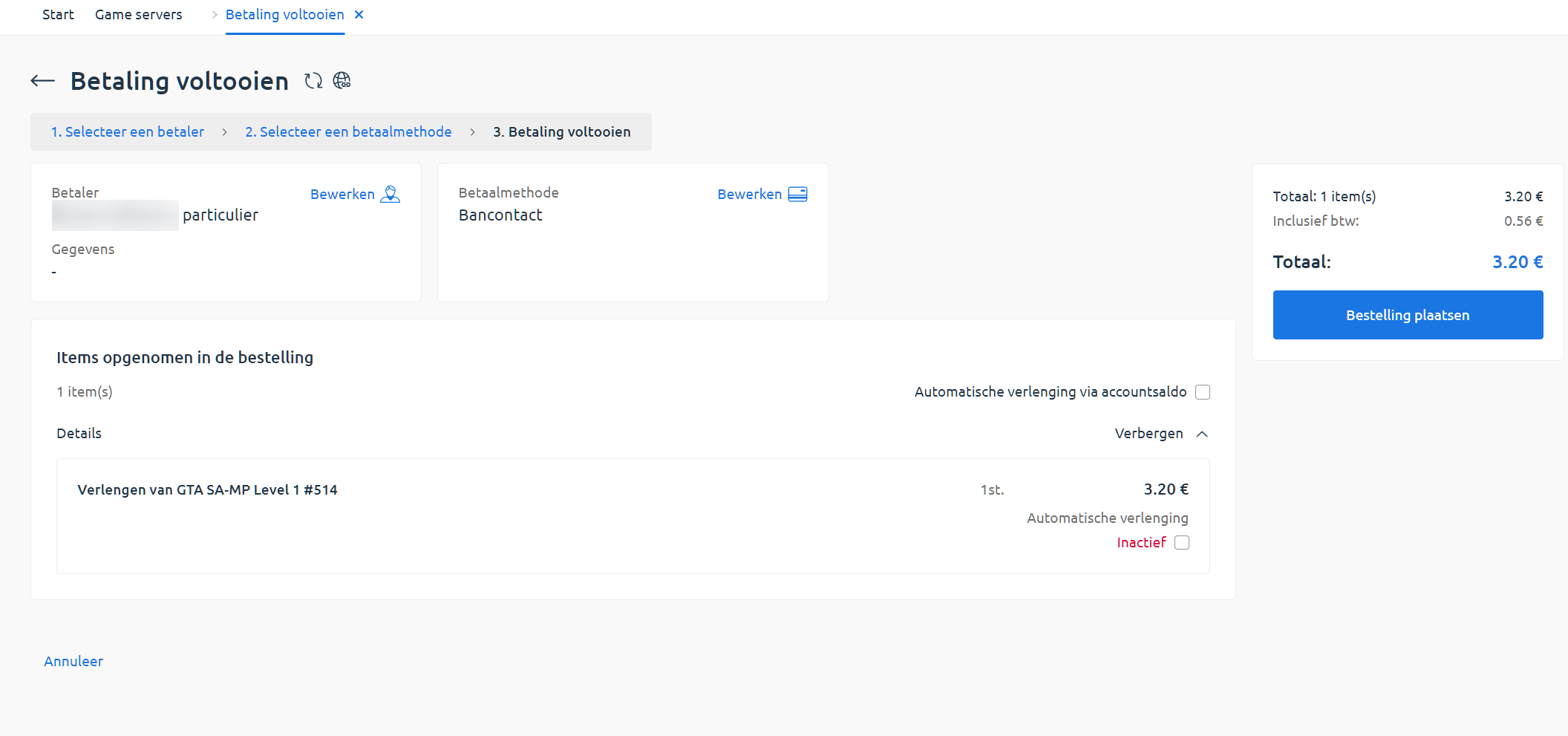
Section titled “✅ 6. Confirm your order”Double-check your details and optionally enable automatic renewal.
Click Place Order to continue to the payment screen.
📬 7. After payment
Section titled “📬 7. After payment”Once payment is successful, you’ll be redirected to your dashboard.
You’ll also receive a confirmation email when your service has been renewed.
🟣 Note: If you pay using your account balance, the system will first top up your balance, then immediately use it to complete the renewal.