

Connect to your Space Station 14 server
Find your server’s address and join it through the Space Station 14 launcher. Direct Connect also works when your server is not listed in the browser.
What you'll do
- Check that the server is running
- Find its primary address
- Open Direct Connect
- Join and let content load
Join your server
Section titled “Join your server”-
Check the server status
Section titled “Check the server status”Open your server in the game panel and check Console for Running and Ready. If it is offline, start your server first.
-
Find the address
Section titled “Find the address”Open Network → Allocations. Use the row marked Primary and note its address and port. Enter both as
IP:portin the launcher.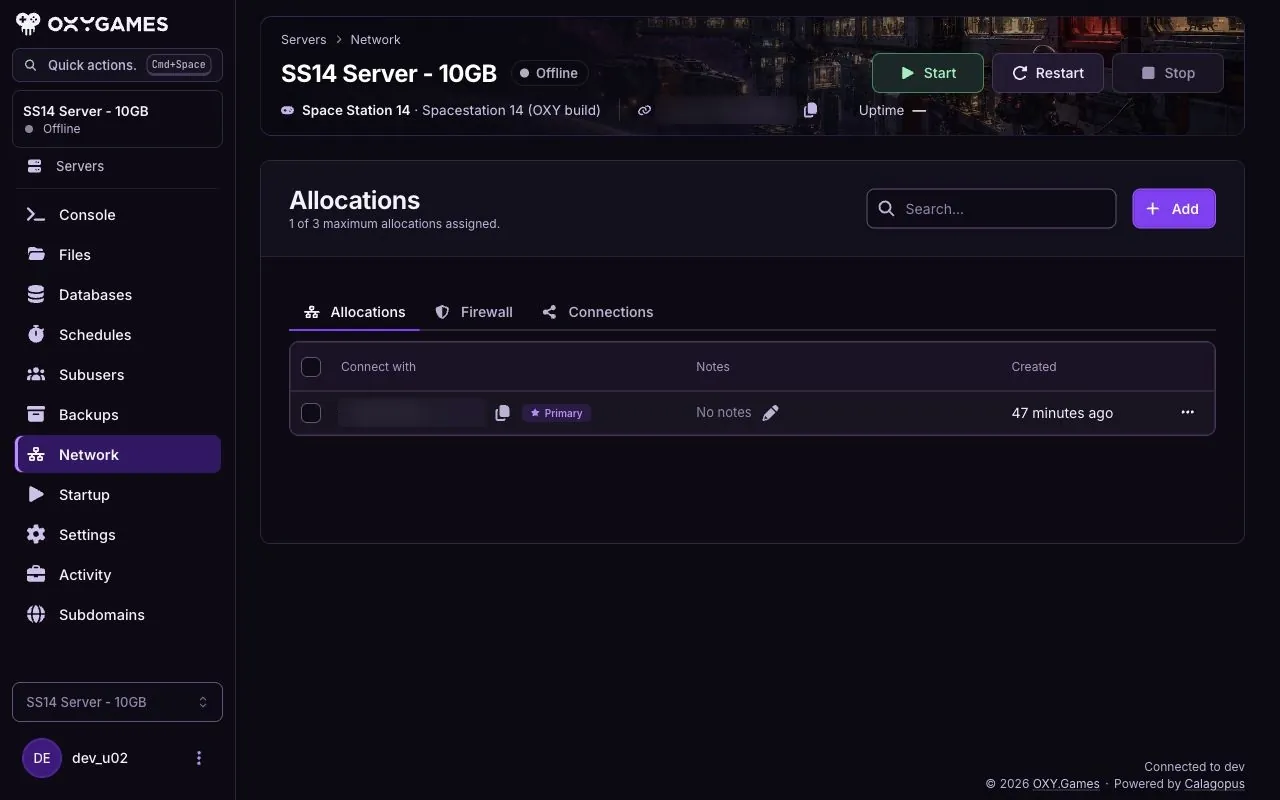
-
Use Direct Connect
Section titled “Use Direct Connect”Open Space Station Launcher → Servers → Direct connect to server. Enter the
IP:portfrom Network and click Connect.
-
Wait for content to load
Section titled “Wait for content to load”The launcher may download server content before opening the game. Let it finish. If joining fails, check the address and port again and send the error to support.
Extra tips
Section titled “Extra tips”- Server browser: Search by server name if you prefer; private servers may not appear there.
- Wrong port: Copy the port from the Primary allocation, not another row.
- Connection error: Include the exact launcher error and your server’s console status in a support ticket.