

Manage files via SFTP
SFTP gives you a file window into your server from your own computer: drag and drop whole folders, for large uploads. For single config edits the file manager is quicker.
- Install an SFTP client
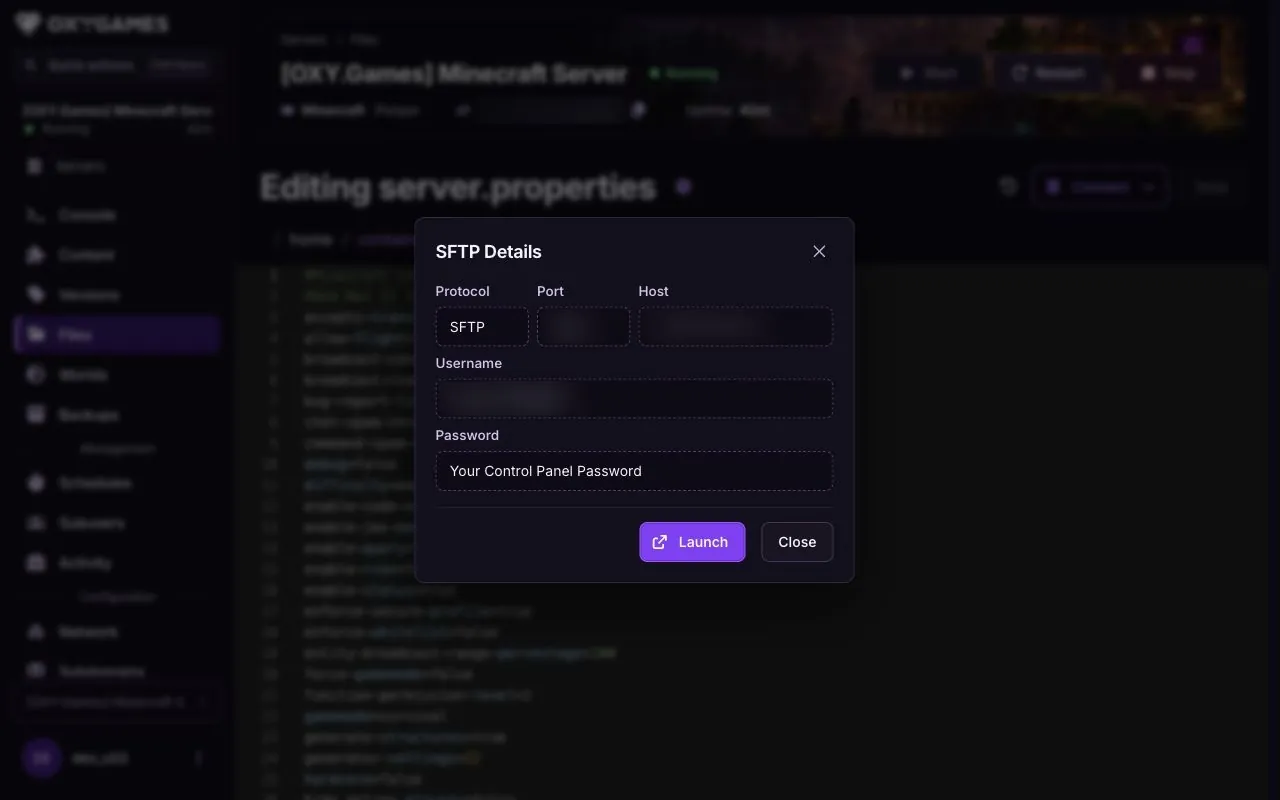
- Open Files and copy the SFTP details
- Connect and accept the host key
- Drag files to and from the server
-
Install an SFTP client
Section titled “Install an SFTP client”On Windows we use WinSCP in this guide. FileZilla works on Windows, Mac and Linux, and Cyberduck on Mac. All are free.
-
Copy your SFTP details
Section titled “Copy your SFTP details”In the game panel open your server and open Files, then choose Connect → via SFTP. Copy the Host, Port and Username shown there. The dialog says to use your control panel password.
-
Connect
Section titled “Connect”In WinSCP click New Site, paste Host into Host name and Port into the port field, fill in the username and password, and click Login. The panel also offers Launch; use the manual details if your client does not open.
-
Accept the host key
Section titled “Accept the host key”The first connection shows a host key prompt. Click Accept; it’s a one-time security check. Click Save on the site if you want to keep the login for next time.
-
Work with your files
Section titled “Work with your files”The left pane is your computer, the right pane is the server. Drag files or folders across to upload or download. Rename, delete and move with a right-click.

Extra tips
Section titled “Extra tips”- Connection refused? Check the port in the address. SFTP uses the port shown under Files → Connect → via SFTP, not the game port.
- Uploading a world: stop the server first, replace the folder, then start. Replacing files on a running server corrupts the world.
- Moving a Minecraft world: Follow Upload your own Minecraft world for the full transfer, including player data and
level-name. - Moving a Project Zomboid world: Follow Upload your Project Zomboid world to identify the active profile and transfer the matching save, character data and configuration.
- Recovering a Project Zomboid world: Follow the world restore guide to check the backup and affected files before replacing them over SFTP.
- Large uploads are faster as one zip: upload the zip, then use Unarchive in the file manager.