

Renewal Guide
You can manually renew your service via the OXY.Games customer area.
This guide explains step by step how to do that.
💡 Automatic renewal is on by default — but with iDEAL/Bancontact/card it only works if you have enough balance. See Renew your server automatically.
📦 1. Go to your game servers
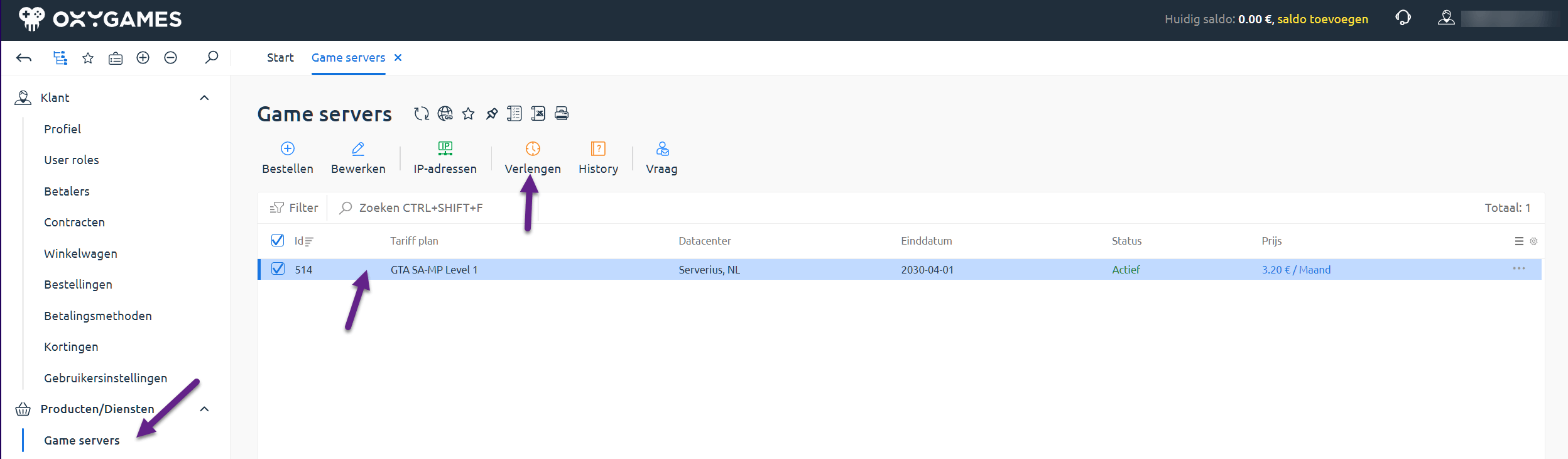
Section titled “📦 1. Go to your game servers”Log in at my.oxy.games and in the left menu go to Products/Services > Game Servers.
Select the server you want to renew and click Renew at the top.
⏳ 2. Choose renewal period
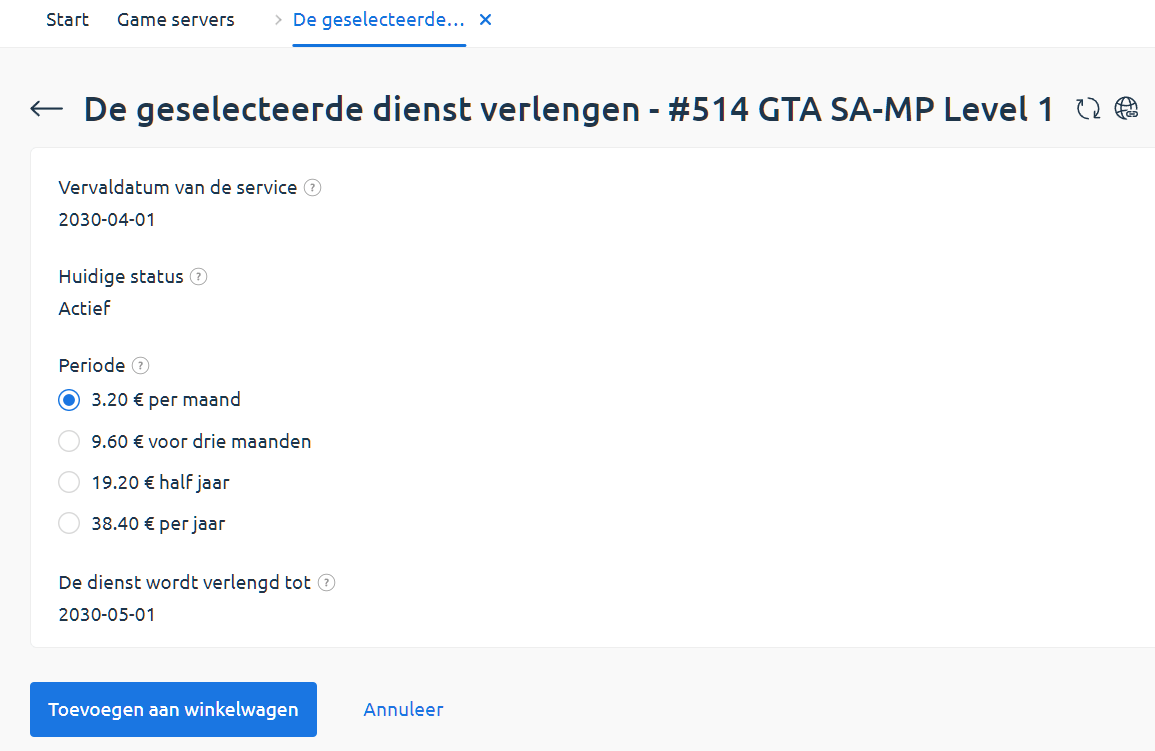
Section titled “⏳ 2. Choose renewal period”You’ll now see:
- The expiration date of your current service
- The current status
- Available renewal options and their corresponding end date
Choose a period and click Add to Cart.
🛒 3. Review your cart
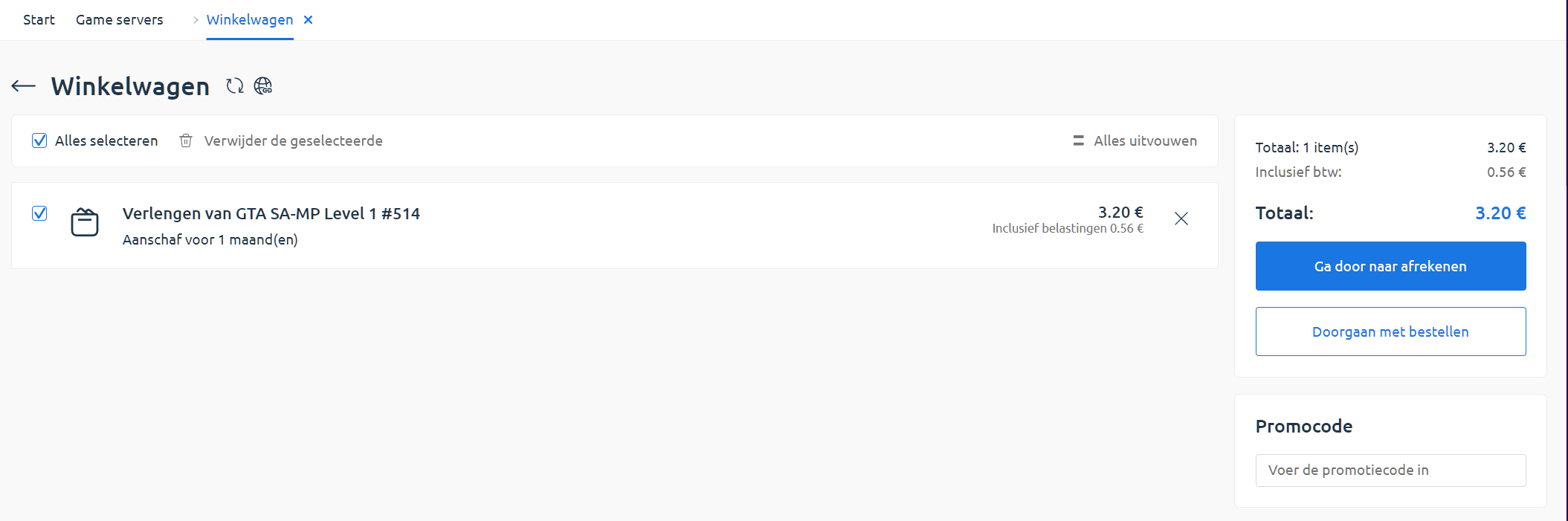
Section titled “🛒 3. Review your cart”Your shopping cart shows the selected item and its cost.
You can also enter a promo code if you have one.
Click Proceed to Checkout to continue.
👤 4. Choose or create a payer
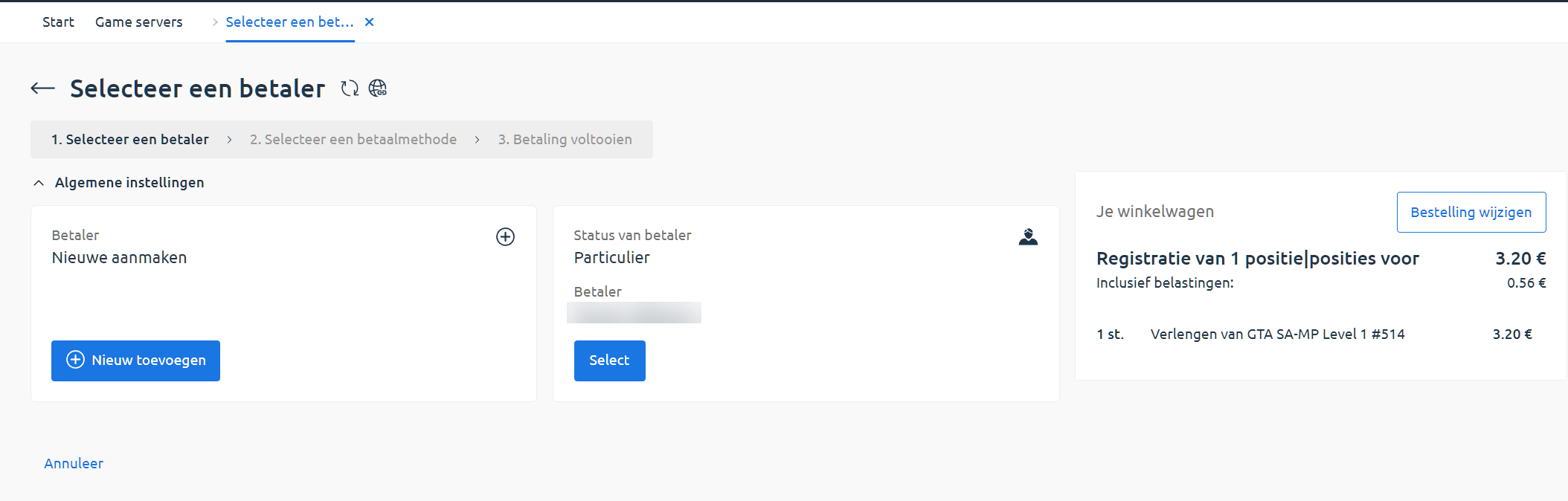
Section titled “👤 4. Choose or create a payer”If you don’t have a payer profile yet, click Add New to create one.
Then select the payer and click Select.
💳 5. Choose payment method
Section titled “💳 5. Choose payment method”You’ll see a list of available payment methods.
If you have enough account balance, you can choose to pay using that too.
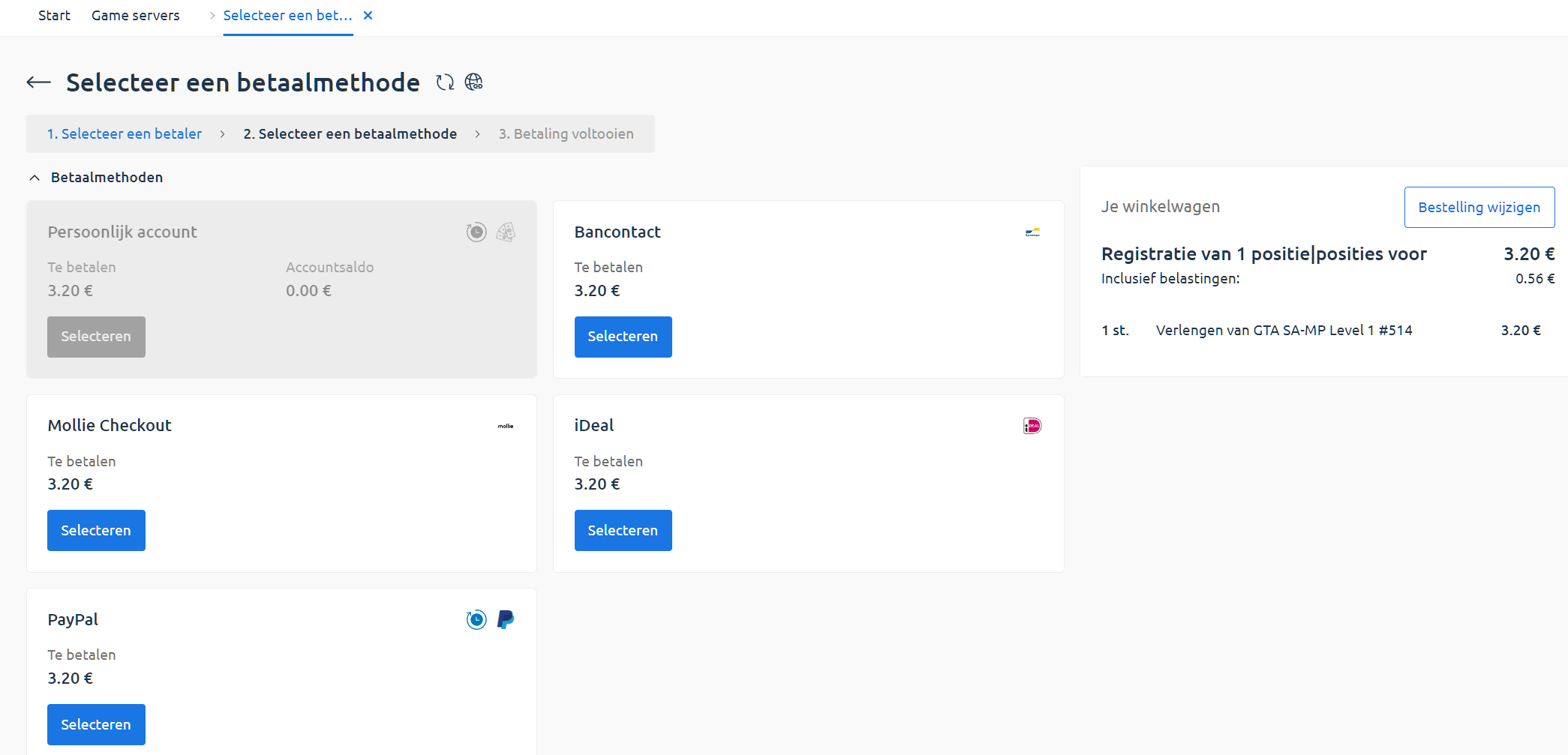
✅ 6. Confirm your order
Section titled “✅ 6. Confirm your order”Double-check your details. Automatic renewal is ticked by default — here’s what that means.
Click Place Order to continue to the payment screen.
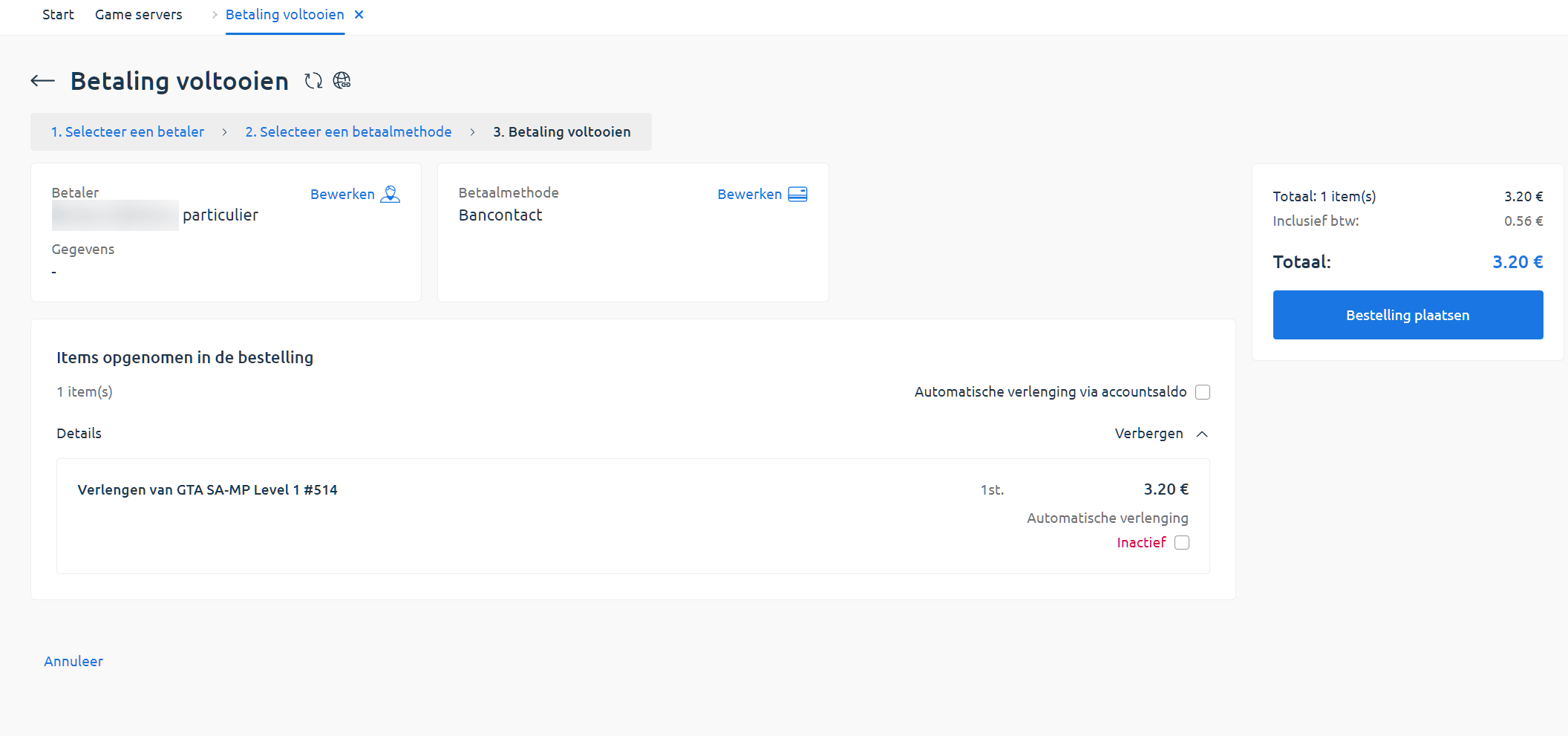
📬 7. After payment
Section titled “📬 7. After payment”Once payment is successful, you’ll be redirected to your dashboard.
You’ll also receive a confirmation email when your service has been renewed.
🟣 Note: If you pay using your account balance, the system will first top up your balance, then immediately use it to complete the renewal.