

Install plugins on your Minecraft server
Plugins add features, commands and optimizations to your server without your players installing anything. The game panel installs them for you.
What you'll do
- Check your server type
- Pick a plugin provider
- Install the plugin
- Check that it loaded
Before you start
Section titled “Before you start”Install a plugin
Section titled “Install a plugin”-
Open the Plugins menu
Section titled “Open the Plugins menu”In the panel’s left menu go to More → Plugins.
-
Choose a provider
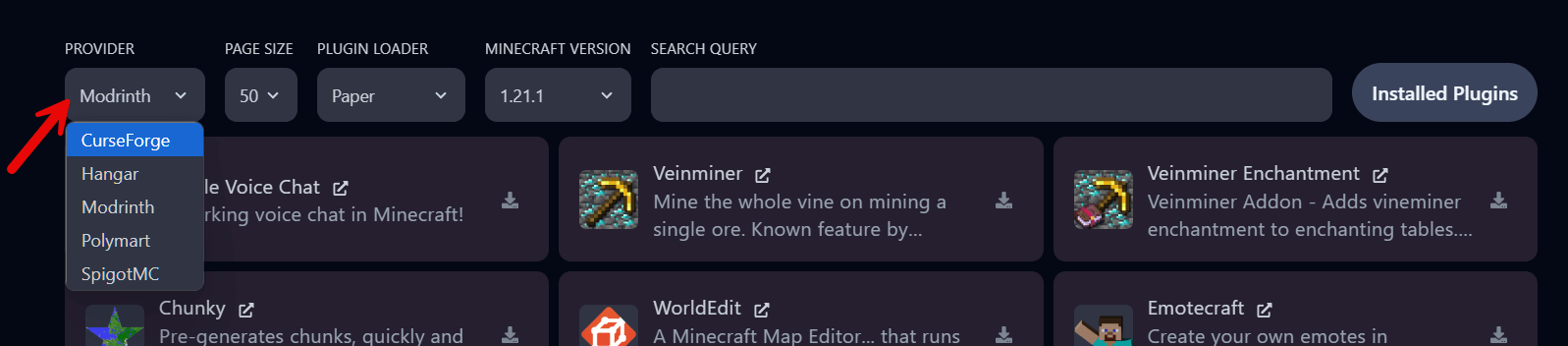
Section titled “Choose a provider”Pick a provider at the top. The panel filters results on your server’s version and loader.
- Modrinth: modern, open source, clean search. Our default.
- SpigotMC: the classic, largest library.
- CurseForge: known from mods and modpacks.
-
Search and install
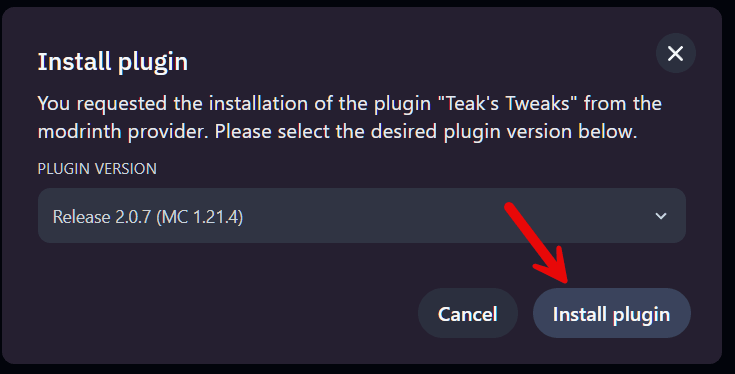
Section titled “Search and install”Search for the plugin and click the download icon. In this example we install Teak’s Tweaks, 150+ toggleable tweaks such as disabling mob griefing. Pick the version that matches your server and click Install plugin.
-
Restart and check
Section titled “Restart and check”Click Installed Plugins at the top right to see the list. Then Restart the server; the console shows the plugin enabling at startup. The
.jarfile is in Files → plugins.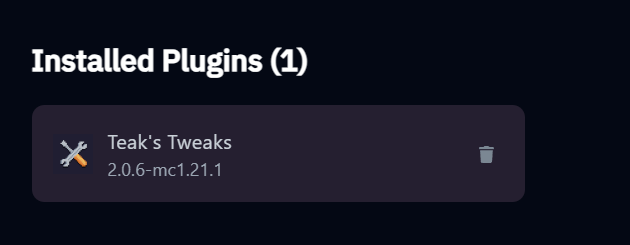
Extra tips
Section titled “Extra tips”- Permissions: use LuckPerms to decide which commands players and staff may use.
- Plugins that need a port, such as Dynmap or voice chat, need an extra port. Open a ticket and we add one.
- Server won’t start after a plugin? Remove the
.jarfromplugins/, start again, and check the plugin’s supported versions.