

How to log in
After ordering your Minecraft server from OXY.Games, you’ll automatically receive an email with everything you need to log in.
Below is a step-by-step guide on how to access the Game Control Panel.
📧 Step 1 – Check your inbox
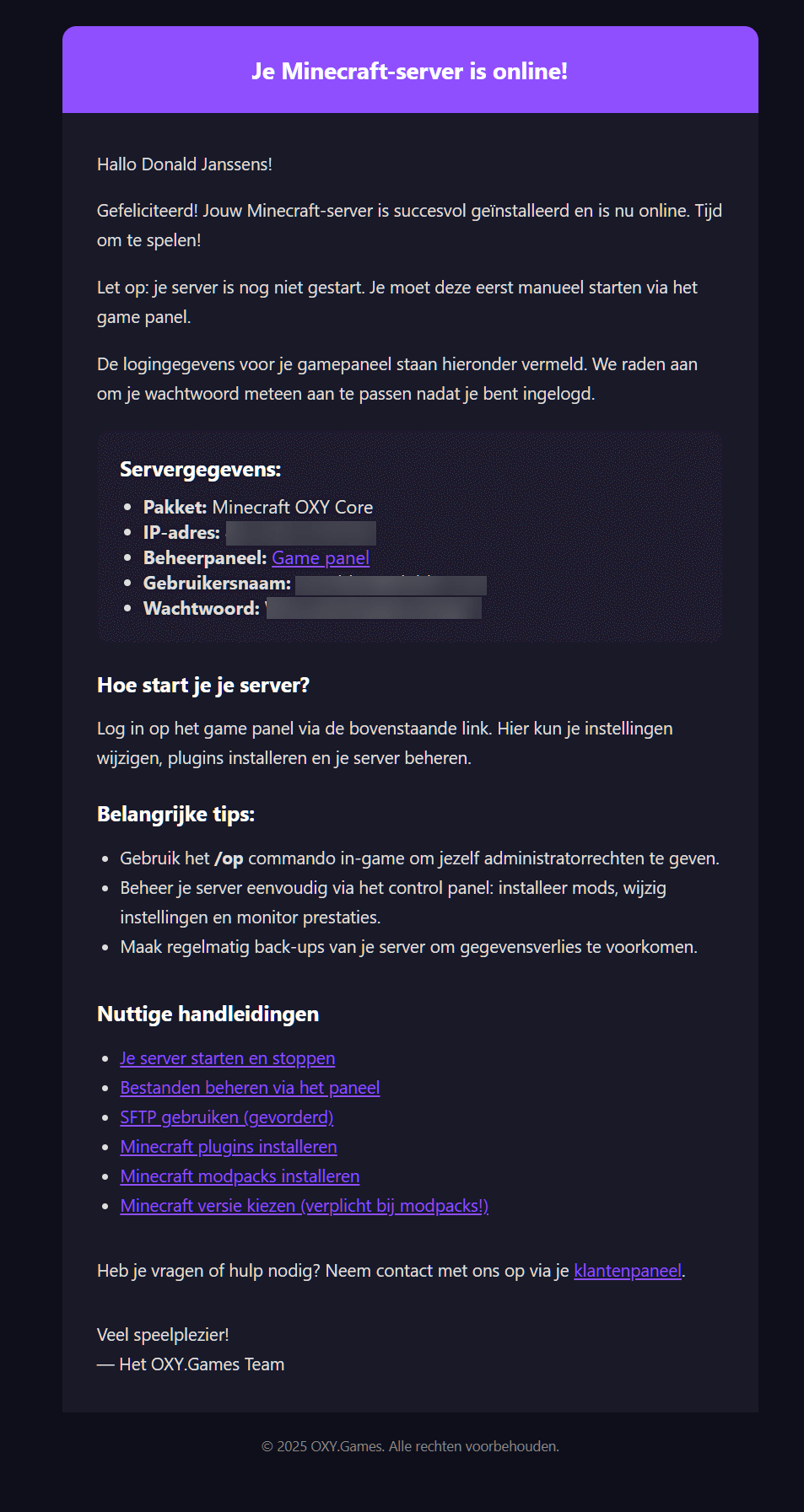
Section titled “📧 Step 1 – Check your inbox”After completing your order, you will receive an email from our billing platform with all the important information:
- Your username for the game panel
- Your initial password
- A direct link to the control panel
⚠️ Note:
The server has not yet started automatically. You must start it manually via the game panel.
Example of this email:
🔍 Step 2 – Find your details in the customer area
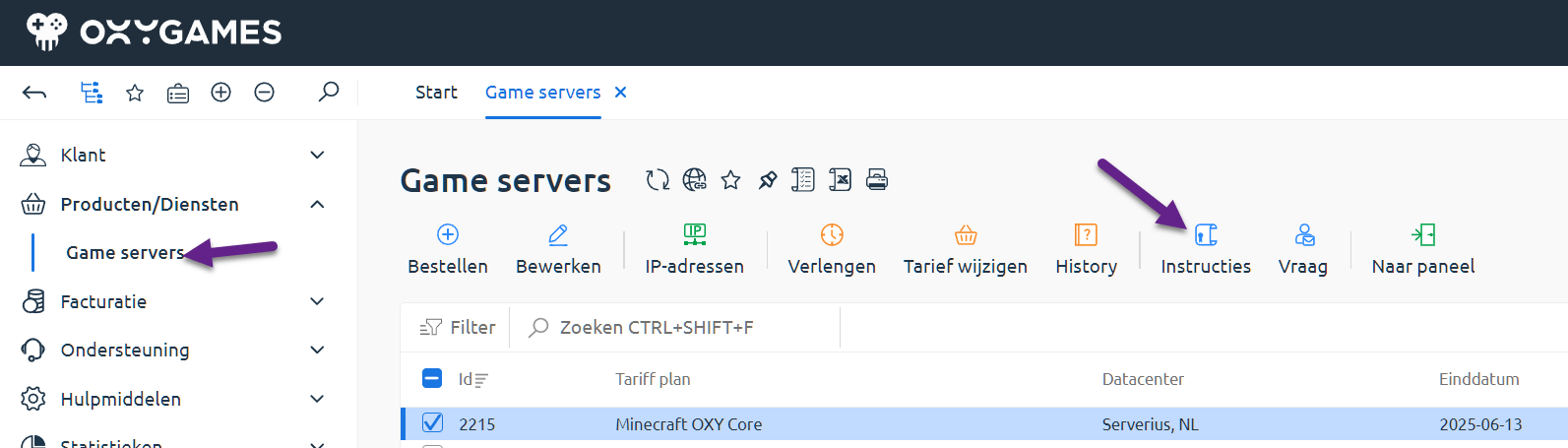
Section titled “🔍 Step 2 – Find your details in the customer area”Lost the email or didn’t receive it? No worries! You can also find all the information and login details in the customer area.
- Go to https://my.oxy.games
- Log in with your account
- Go to Game Servers in the left menu
- Select your server
- Click on Instructions at the top
Example screen:
➡️ Step 3 – One-click login to the game panel
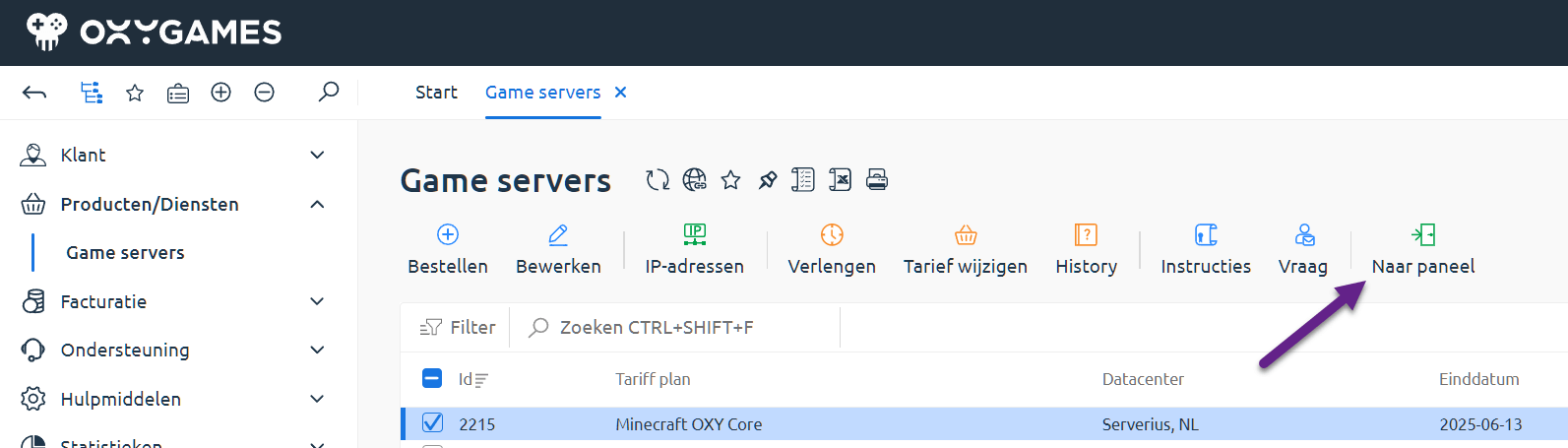
Section titled “➡️ Step 3 – One-click login to the game panel”Via the customer area, you can go to your game panel with one click and log in automatically. Handy!
Click the Go to Panel button:
🔑 Step 4 – Change your password (recommended)
Section titled “🔑 Step 4 – Change your password (recommended)”If you’re using the password from the email, we highly recommend changing it after your first login.
- Go to https://panel.oxy.games
- In the left menu, click Account
- Choose Update Password and set a new one
❓ Need help?
Section titled “❓ Need help?”Having trouble logging in?
- Submit a ticket via the customer area
- Or email us directly at [email protected]
Looking for more help? Check these guides:
- Start or stop your server
- Manage files via the panel
- Use SFTP (advanced)
- Install Minecraft plugins
- Install Minecraft modpacks
- Choose your Minecraft version (required for modpacks)
🚀 You’re ready to go!
Section titled “🚀 You’re ready to go!”You’re all set. Log in to the game control panel and start managing your server like a pro!