

Starting Your Game Server
Follow these steps to start your game server for the first time.
Not logged in yet? Check this guide first:
👉 Logging in to the control panel
Step 1 – Go to the Terminal
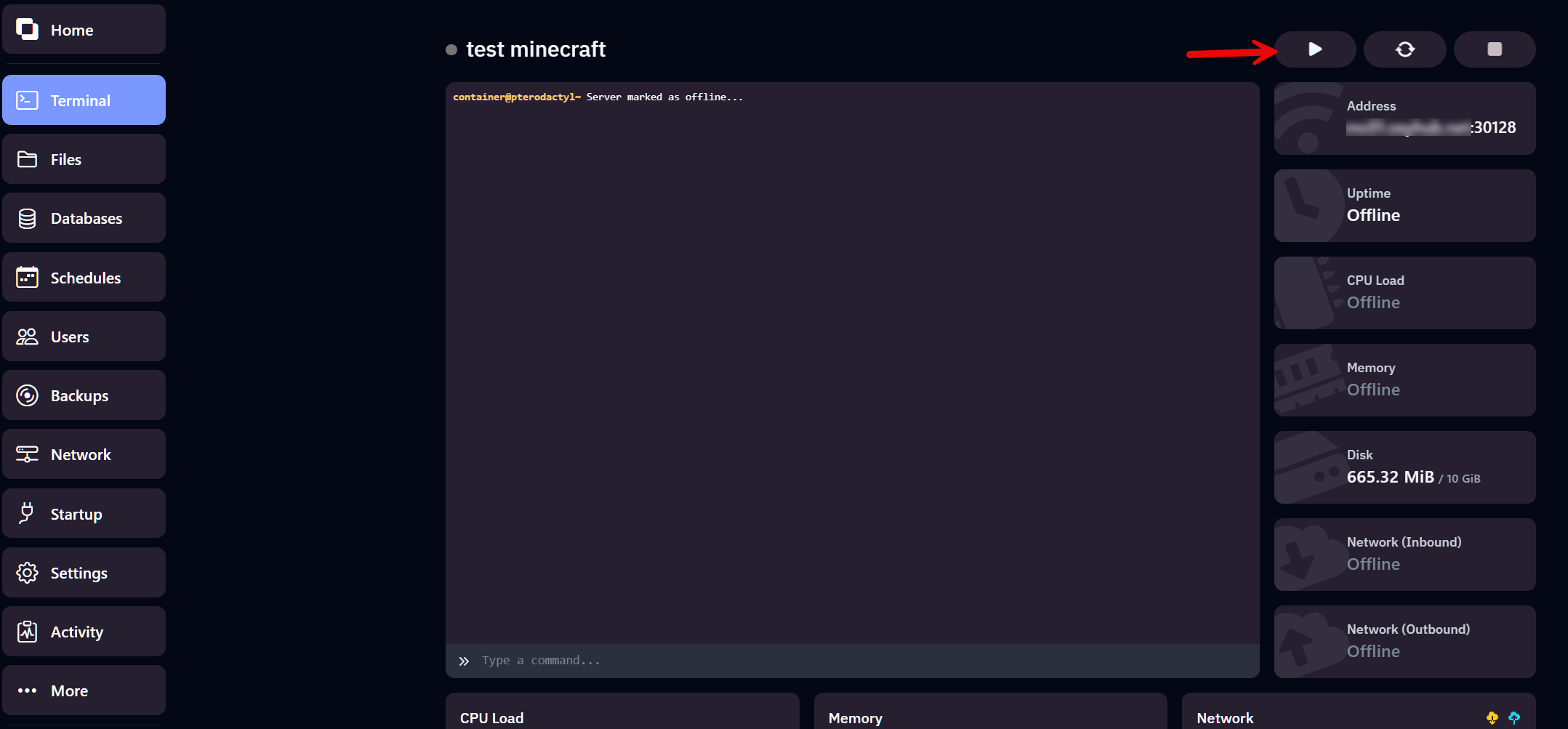
Section titled “Step 1 – Go to the Terminal”Click Terminal in the left-hand menu. This is your server’s main control screen.
Step 2 – Check the server status
Section titled “Step 2 – Check the server status”At the top of the terminal screen, you’ll see the current status of your server:
- Offline – The server is not running
- Starting – The server is booting up
- Running – The server is online and active
Step 3 – Click the Start button
Section titled “Step 3 – Click the Start button”In the top-right corner, you’ll see several buttons:
- Start – Launches the server
- Restart – Reboots the server if it’s already running
- Stop – Safely shuts down the server
Click Start to launch your server.
Step 4 – You’re online!
Section titled “Step 4 – You’re online!”Your server will now start.
The console will display messages showing progress and loaded components.
Once it says Running, you can connect using the server IP shown on the right side of the panel.