

Subusers
Want to give someone else access to your Minecraft server or project?
With the OXY.Games control panel, you can easily invite additional users with limited or full permissions.
👤 Step 1 – Open the Users menu
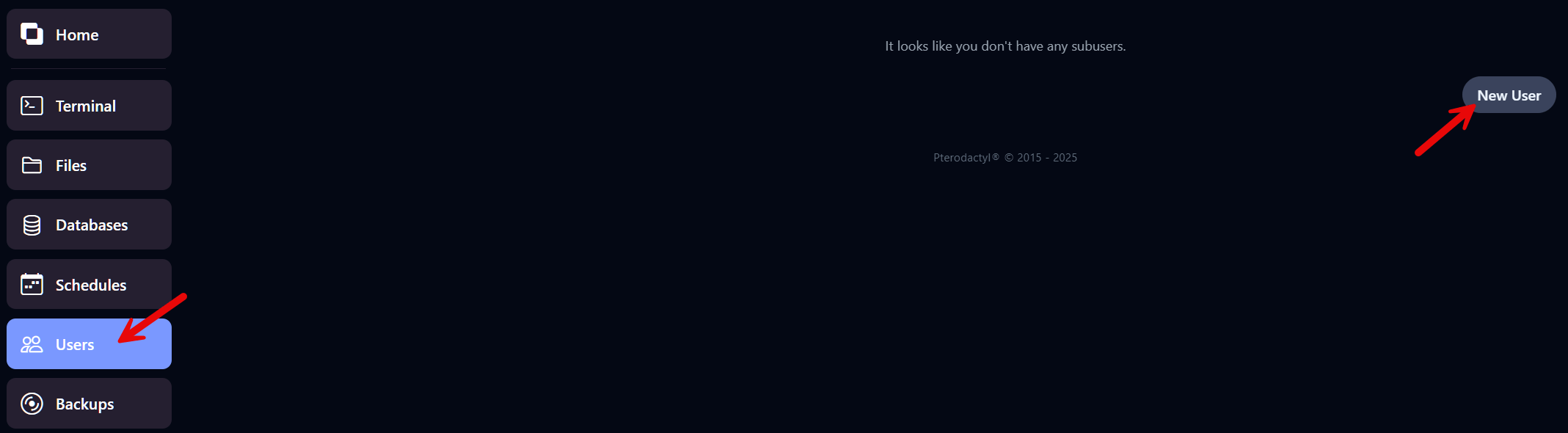
Section titled “👤 Step 1 – Open the Users menu”Click Users in the left-hand menu.
Then click the New User button in the top right.
✉️ Step 2 – Enter the email address
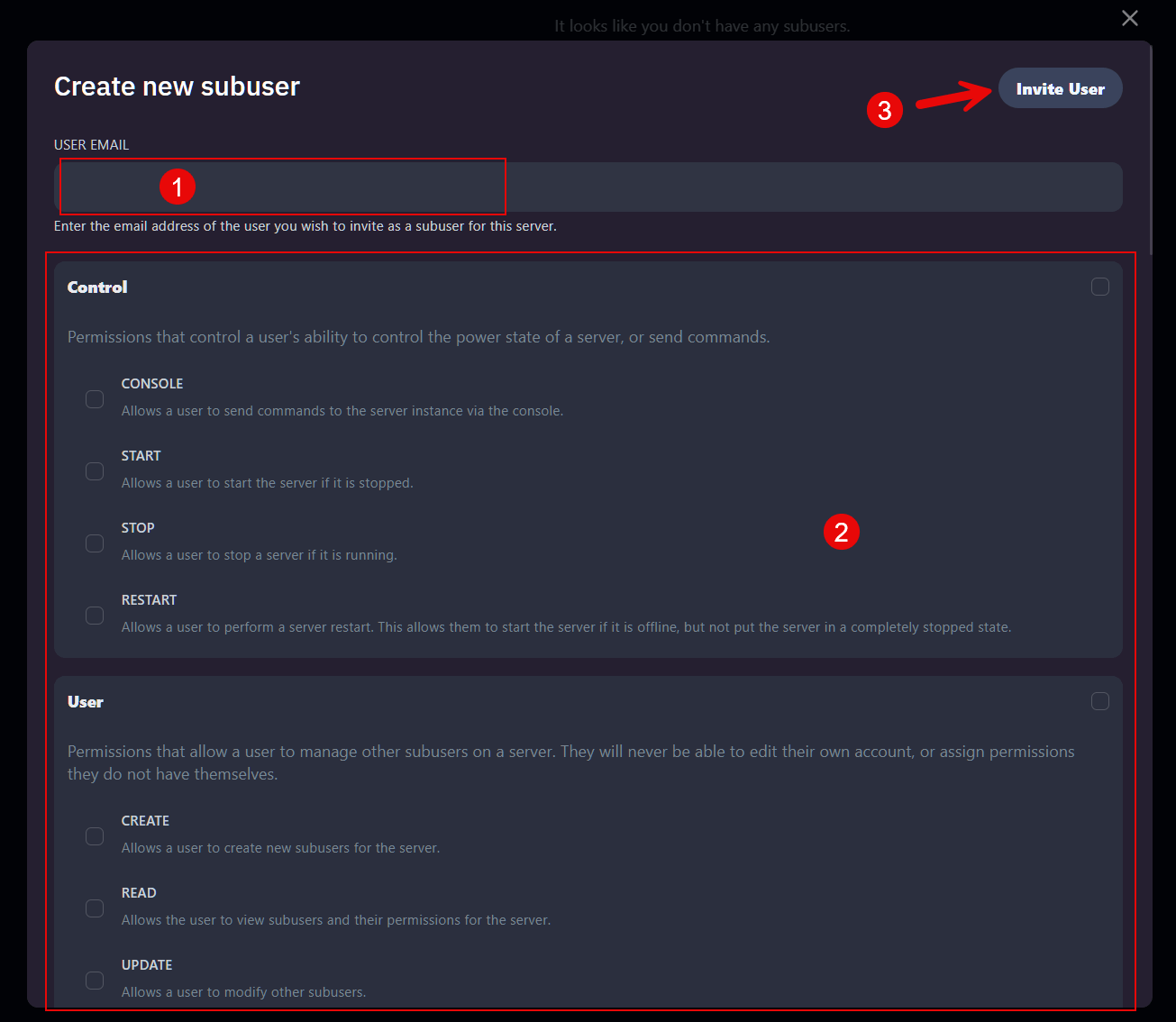
Section titled “✉️ Step 2 – Enter the email address”Enter the email address of the person you want to invite.
This can be an existing panel account, or a new user who will receive an automatic email invitation.
🛡️ Step 3 – Set permissions
Section titled “🛡️ Step 3 – Set permissions”Decide which permissions the user should have. Choose carefully based on their role.
Examples:
- Console – Access the server console and execute commands
- Start / Stop / Restart – Control the server power
- Files – Manage server files
- Backups – Create or restore backups
- Plugins / Mods / Modpacks – Manage content
📩 Step 4 – Send the invitation
Section titled “📩 Step 4 – Send the invitation”Click Invite User.
The person will automatically receive an email with a link to access your server panel.
💡 Tip!
Section titled “💡 Tip!”You can add multiple users, each with their own set of permissions.
Great for friends, co-admins, moderators, or support helpers.
✅ Done!
Section titled “✅ Done!”The user will now appear in your list.
You can adjust or remove their access anytime through the Users menu.