

Installing Minecraft Worlds via CurseForge
Thanks to the CurseForge integration, you can install Minecraft maps on your OXY.Games server with just one click.
What is CurseForge?
Section titled “What is CurseForge?”CurseForge is a community platform where players share millions of Minecraft creations:
- Mods
- Modpacks
- Plugins
- Worlds (maps)
You can install these maps directly on your server!
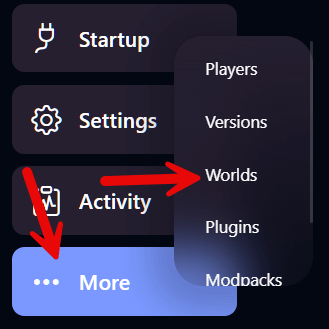
Step 1 – Open the “Worlds” menu
Section titled “Step 1 – Open the “Worlds” menu”Click on More → Worlds in the left-hand menu.
Step 2 – Choose a world
Section titled “Step 2 – Choose a world”At the top, you’ll see the worlds currently on your server:
world(default)world_netherworld_the_end
Scroll down to browse available maps from CurseForge:
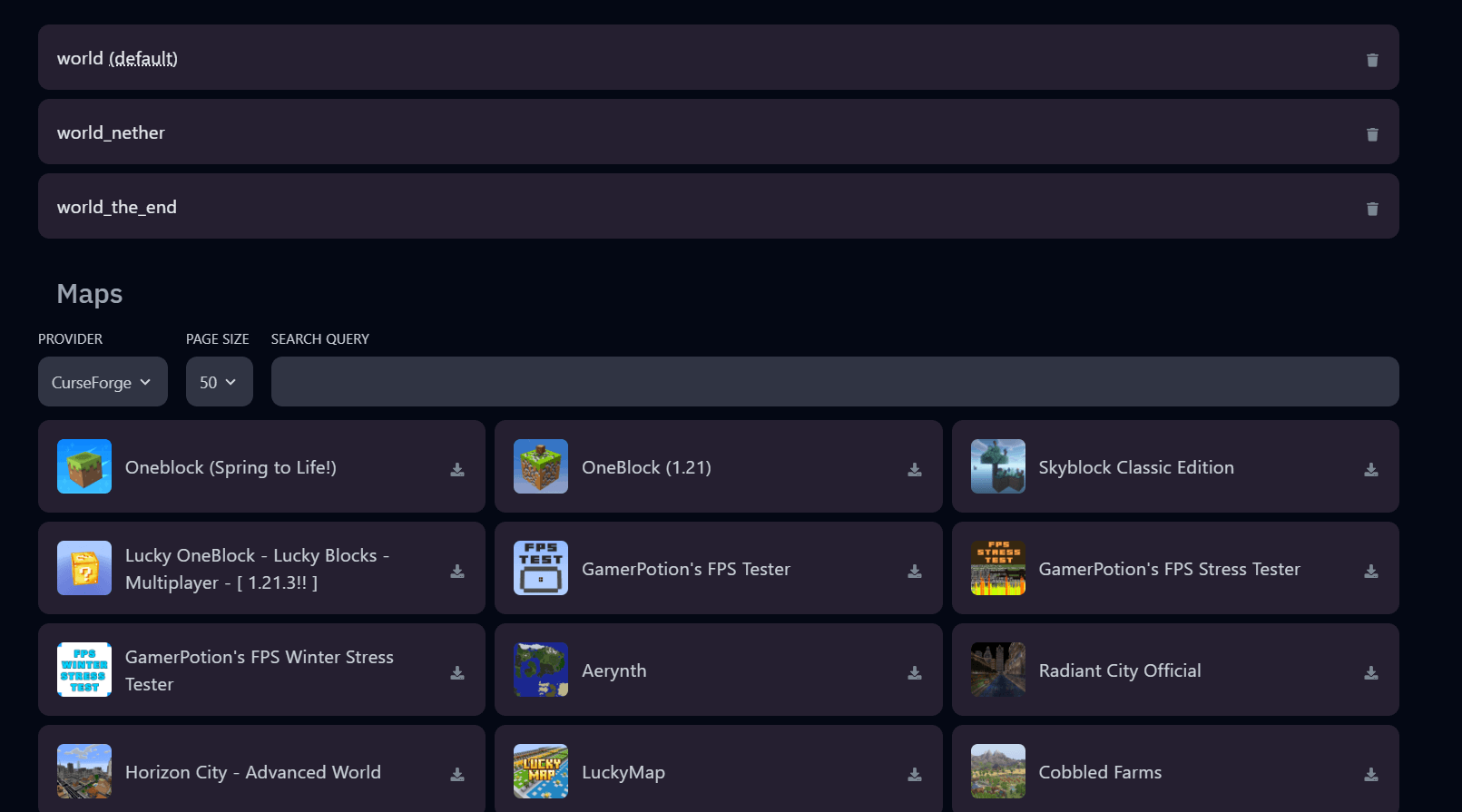
In this example, we’ll install Oneblock (Spring to Life!) – with over 6.5 million downloads!
Click the download icon.
Step 3 – Installation is scheduled
Section titled “Step 3 – Installation is scheduled”A message will appear:
✅ Map successfully scheduled for installation…

Step 4 – Set the world as default
Section titled “Step 4 – Set the world as default”Once the map is added, it will show up in the list at the top.
Click Make default
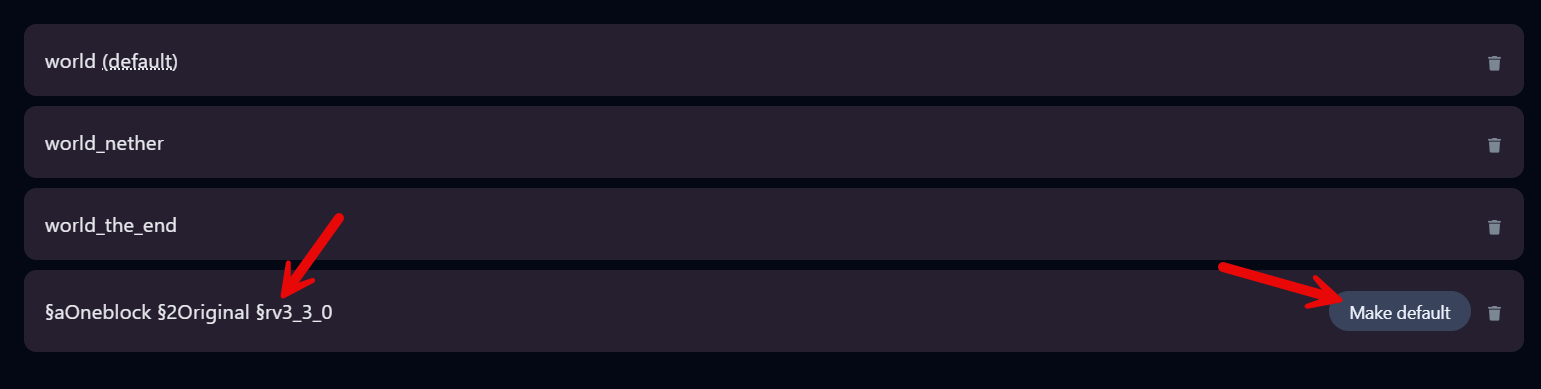
Your server’s configuration will be updated automatically:
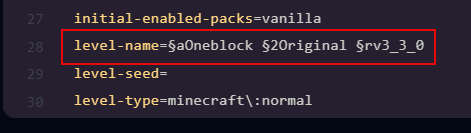
Step 5 – Start or restart your server
Section titled “Step 5 – Start or restart your server”After starting, you’ll see in the console that your world has loaded correctly:

Your new world is now active and ready to explore. Have fun!