

How to change the difficulty
Want to make your server more challenging—or a bit more relaxing for beginners? You can easily adjust the difficulty level of your Minecraft server via the OXY.Games control panel. This is done by editing the server.properties file and requires a server restart.
Ways to change the difficulty
Section titled “Ways to change the difficulty”- Via the File Manager (recommended – permanent)
- Via the Terminal/Console (temporary)
- In-game with OP permissions (temporary)
This guide shows you the easiest and most permanent method: using the File Manager.
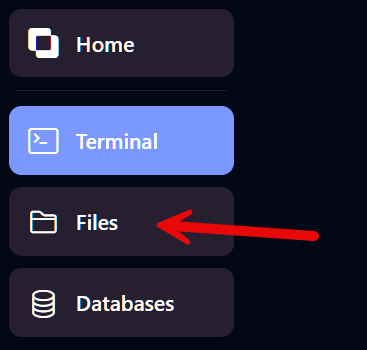
Step 1 – Open the File Manager
Section titled “Step 1 – Open the File Manager”Click on Files in the left-hand menu.
Step 2 – Open server.properties
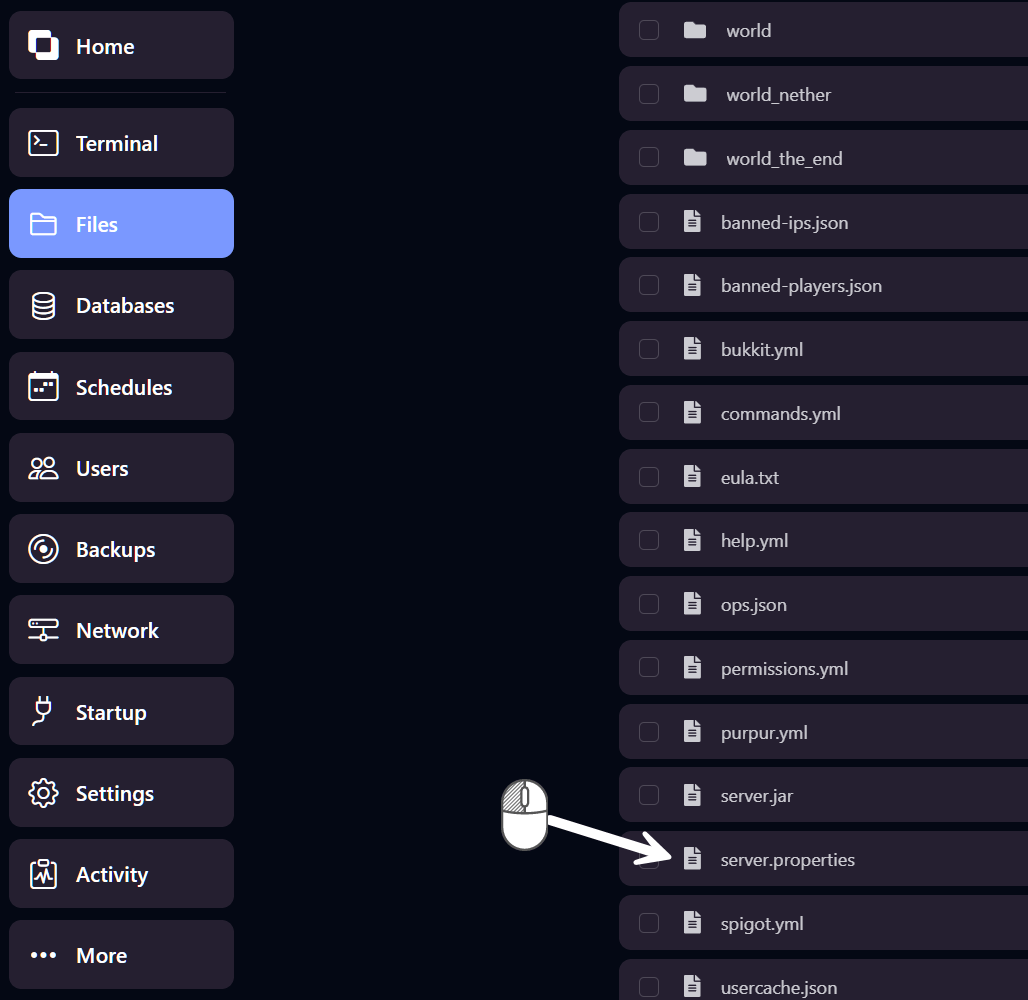
Section titled “Step 2 – Open server.properties”Look for the server.properties file in the list and click on it to open it.
Step 3 – Change the difficulty
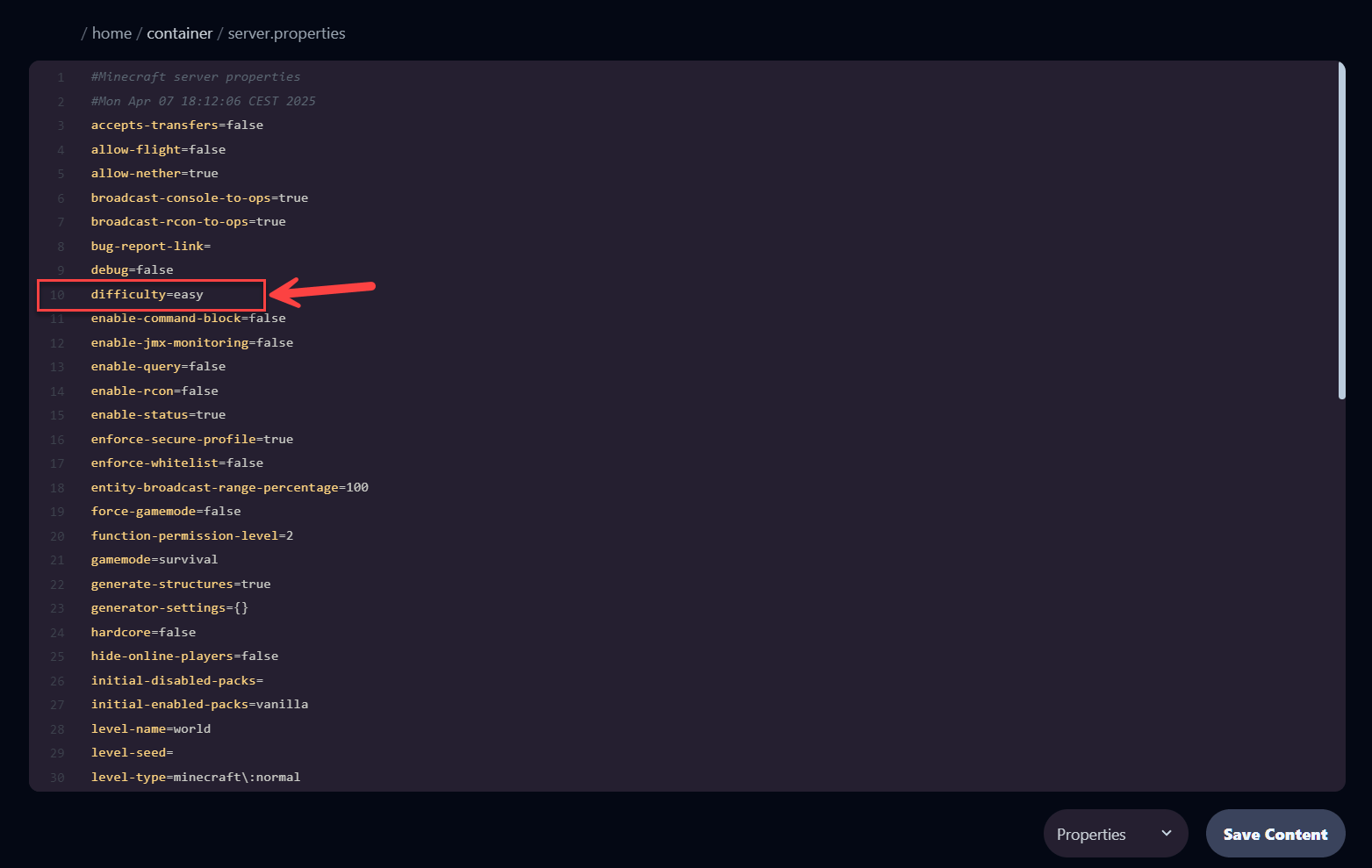
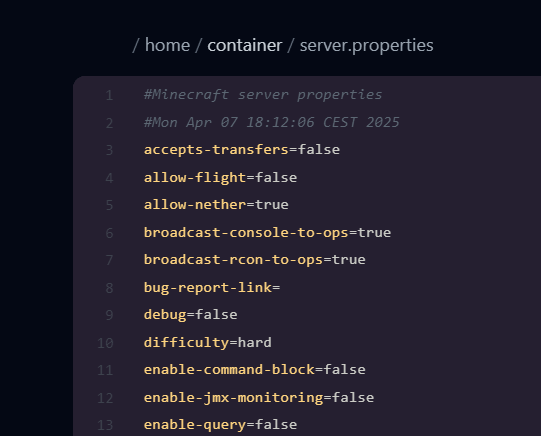
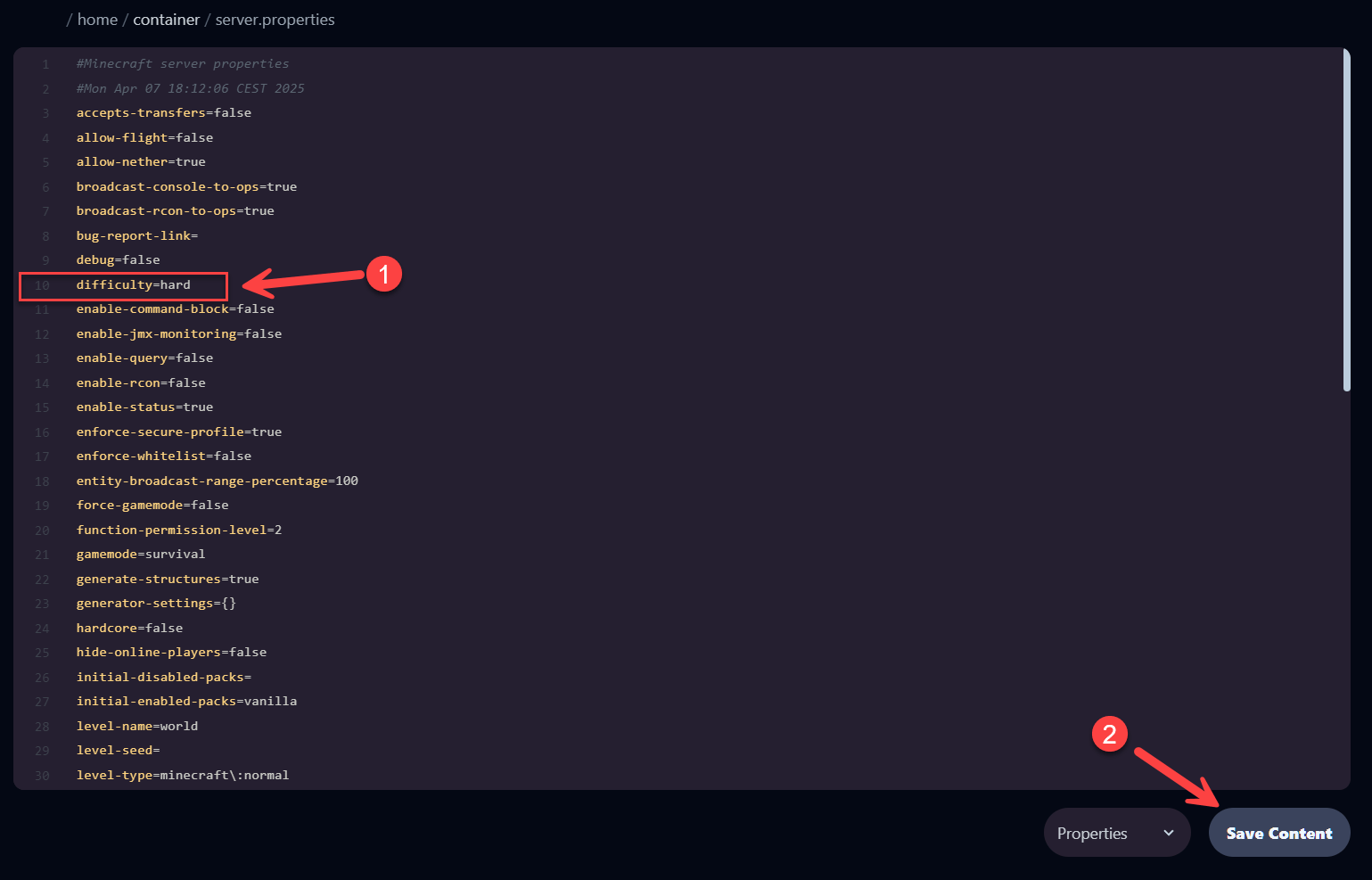
Section titled “Step 3 – Change the difficulty”Find the line that starts with difficulty=. You can change it to:
peaceful– No hostile mobs, relaxing gameplayeasy– Mobs do low damagenormal– Default Minecraft experiencehard– For seasoned players
Step 4 – Save the file
Section titled “Step 4 – Save the file”Click Save Content at the bottom of the page to save your changes.
Step 5 – Restart the server
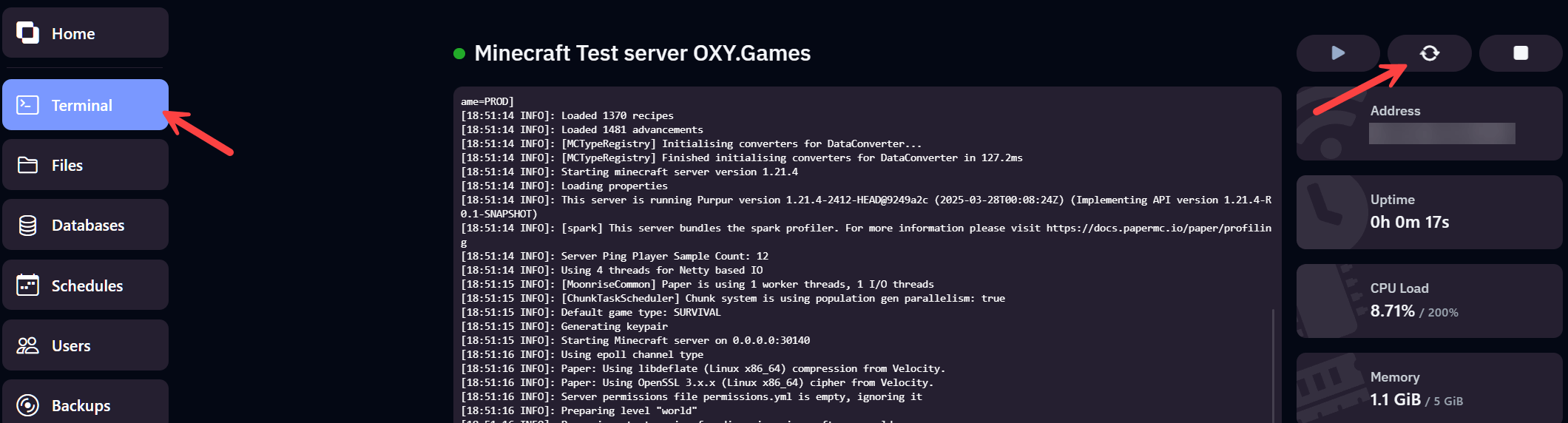
Section titled “Step 5 – Restart the server”Changes will only take effect after a server restart. Go to the Terminal tab and click Restart in the top right corner.
Extra: Temporarily change difficulty via console
Section titled “Extra: Temporarily change difficulty via console”You can also temporarily change the difficulty via the console or in-game (if you have OP permissions):