

Create or Configure a Flat Minecraft World
A flat world is perfect for creative projects, redstone testing, or custom adventures without mountains or caves. This guide explains how to configure your Minecraft server with a flat world using the OXY.Games control panel.
1. Open the Control Panel
Section titled “1. Open the Control Panel”Log in at panel.oxy.games and click your Minecraft server in the overview.
2. Open the File Manager
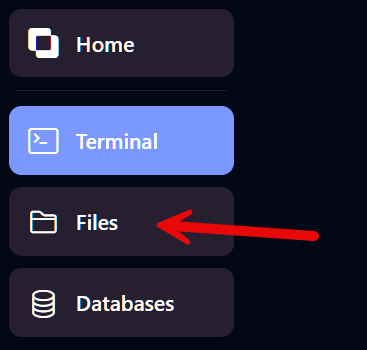
Section titled “2. Open the File Manager”Click Files on the left-hand menu to access your server files.
3. Find and open server.properties
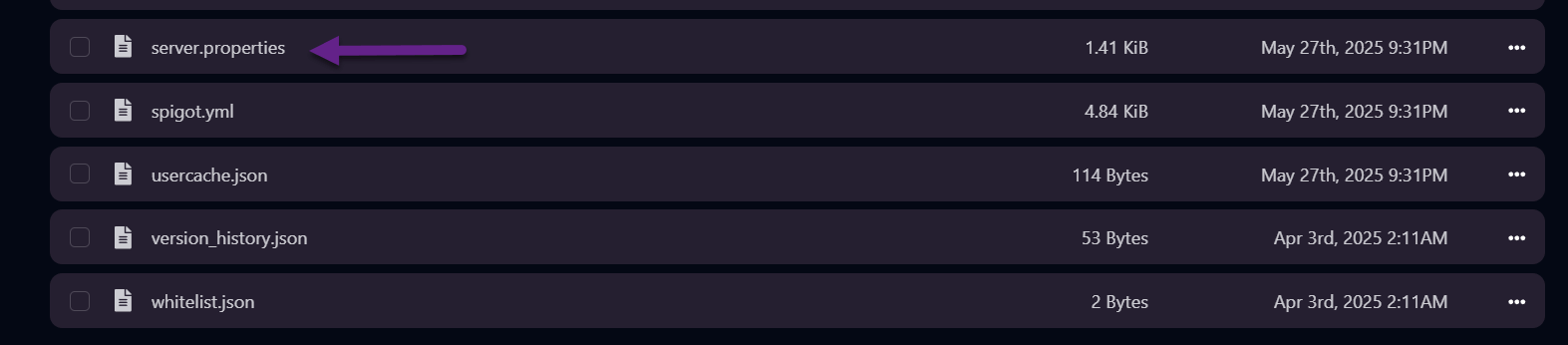
Section titled “3. Find and open server.properties”Look for the file named server.properties in the list and click it to open.
4. Change the world type
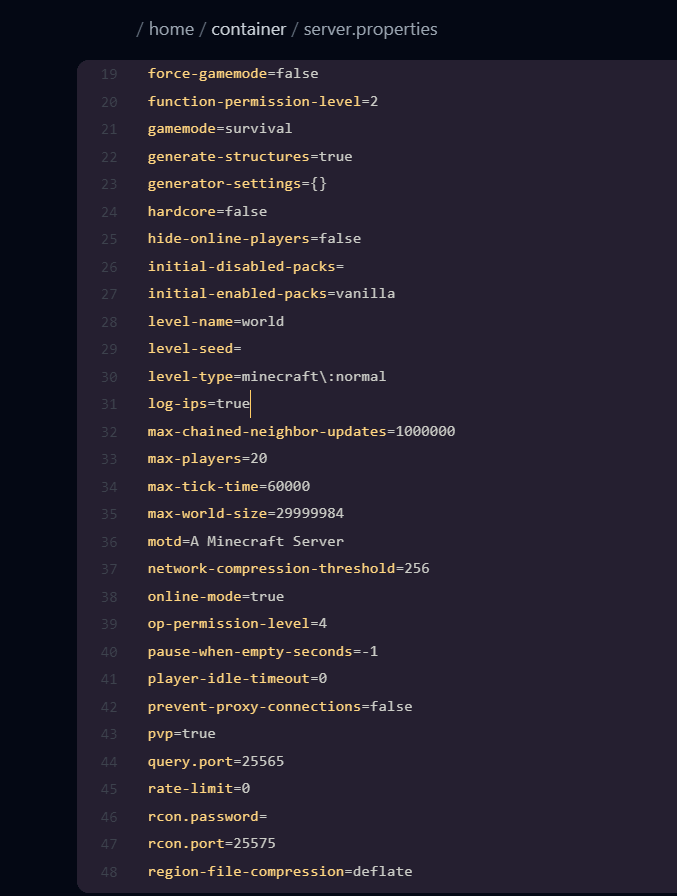
Section titled “4. Change the world type”Find the line:
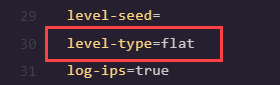
level-type=minecraft\:normalChange it to:
level-type=flatThis will generate a flat world the next time your server starts.
5. Delete the old world (optional)
Section titled “5. Delete the old world (optional)”Want to start fresh with a completely new flat world?
Delete your current world first.
👉 Learn how to reset your world here
6. Restart your server
Section titled “6. Restart your server”Go to the Terminal tab or use the Start button in the overview to boot up your server.

A flat world will now be generated during startup.
✅ Done!
Section titled “✅ Done!”Your server is now running with a flat world. Happy building! 🧱
Want a custom flat world with layered block presets? That’s also possible using external tools or datapacks. Feel free to contact support if you need help.