

How to change the gamemode
Want to let your players build freely in creative, start a survival challenge, or just fly around as a spectator? You can easily change your server’s gamemode via the server.properties file in the OXY.Games control panel.
📋 Available Gamemodes
Section titled “📋 Available Gamemodes”| Gamemode | Config Value | Description |
|---|---|---|
| Survival | 0 or survival | Classic survival mode with hunger, mobs, and resource gathering. |
| Creative | 1 or creative | Build freely with infinite blocks and flying. |
| Adventure | 2 or adventure | For adventure maps; limited block interaction. |
| Spectator | 3 or spectator | Observe the world invisibly and fly through blocks. |
🚀 Step-by-step guide
Section titled “🚀 Step-by-step guide”1. Stop your server
Section titled “1. Stop your server”Before making changes, it’s best to stop the server.
👉 How to start or stop your server
2. Open the File Manager
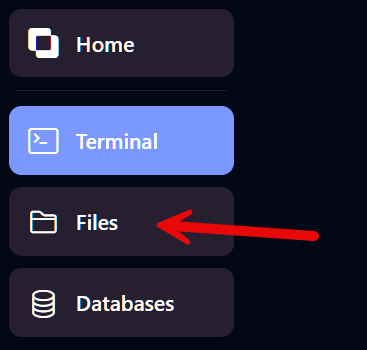
Section titled “2. Open the File Manager”- Log in to panel.oxy.games
- Select your server
- Click Files in the left-hand menu
3. Locate and open server.properties
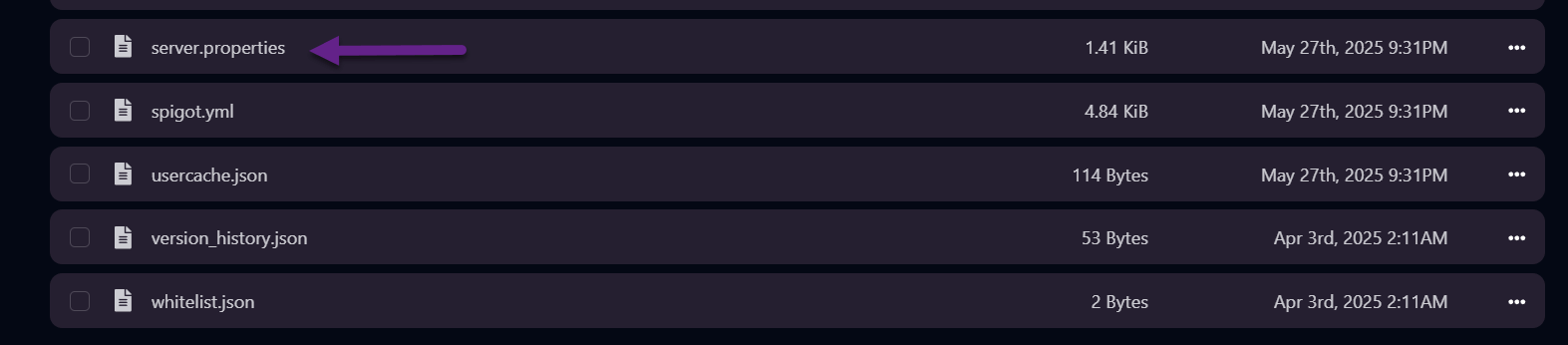
Section titled “3. Locate and open server.properties”Scroll through the list and click on the file named server.properties.
4. Change the gamemode= line
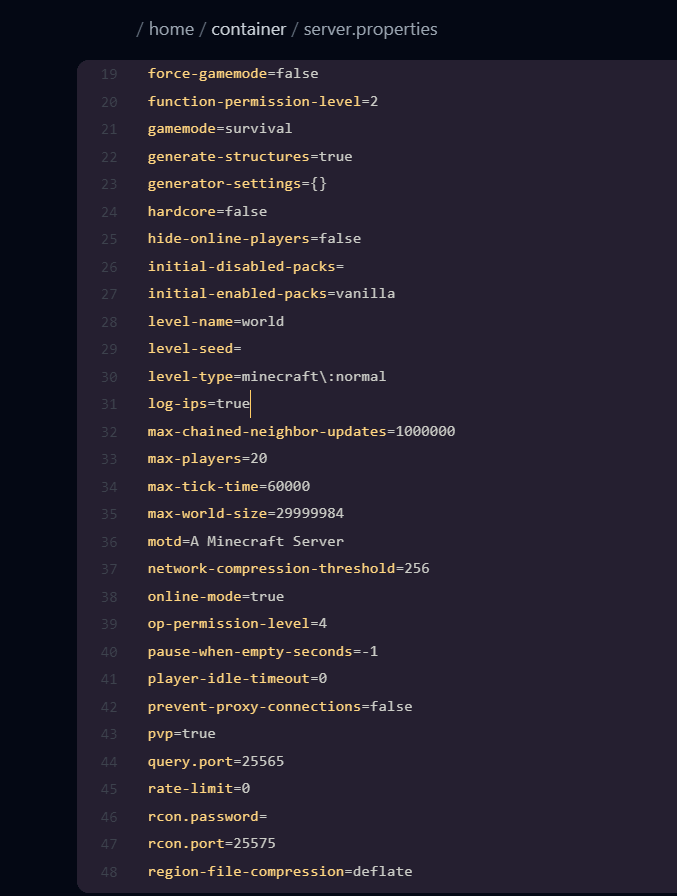
Section titled “4. Change the gamemode= line”Find the following line:
gamemode=survivalReplace survival with your desired gamemode:
survivalcreativeadventurespectator
Example:
gamemode=creative
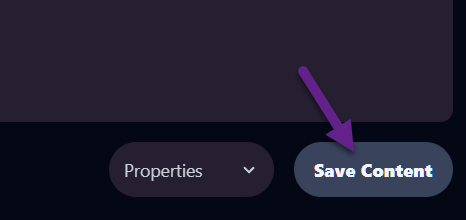
Click Save Content at the bottom.
5. Restart your server
Section titled “5. Restart your server”To apply the changes, restart your Minecraft server.
✅ Done!
Section titled “✅ Done!”New players who join your server will now spawn with the selected gamemode.
Want to change the gamemode for a specific player? Use this command in the console:
gamemode creative <spelernaam>Need help? Feel free to reach out via our support page — we’re happy to help!