

Basic Space Station 14 server configuration
This guide explains how to safely configure a hosted Space Station 14 server at OXY.Games.
We clearly separate:
- ✅ Settings that should be changed via the OXY.Games panel
- ⚠️ Settings that can be edited in
server_config.toml - ❌ Changes that require a custom server build
⚠️ Important limitation (read first)
Section titled “⚠️ Important limitation (read first)”On hosted (packaged) Space Station 14 servers, only limited configuration is supported.
- ✔️ You may edit Startup settings in the panel
- ✔️ You may edit
server_config.toml - ❌ You may NOT modify server content, rules, or assemblies
If you want to add custom mechanics or content, you must create and package your own custom build. This is covered in a separate advanced article.
🖥️ Configuration via the OXY.Games panel
Section titled “🖥️ Configuration via the OXY.Games panel”If a setting exists in the Startup menu, always change it there first. This is the safest and recommended method.
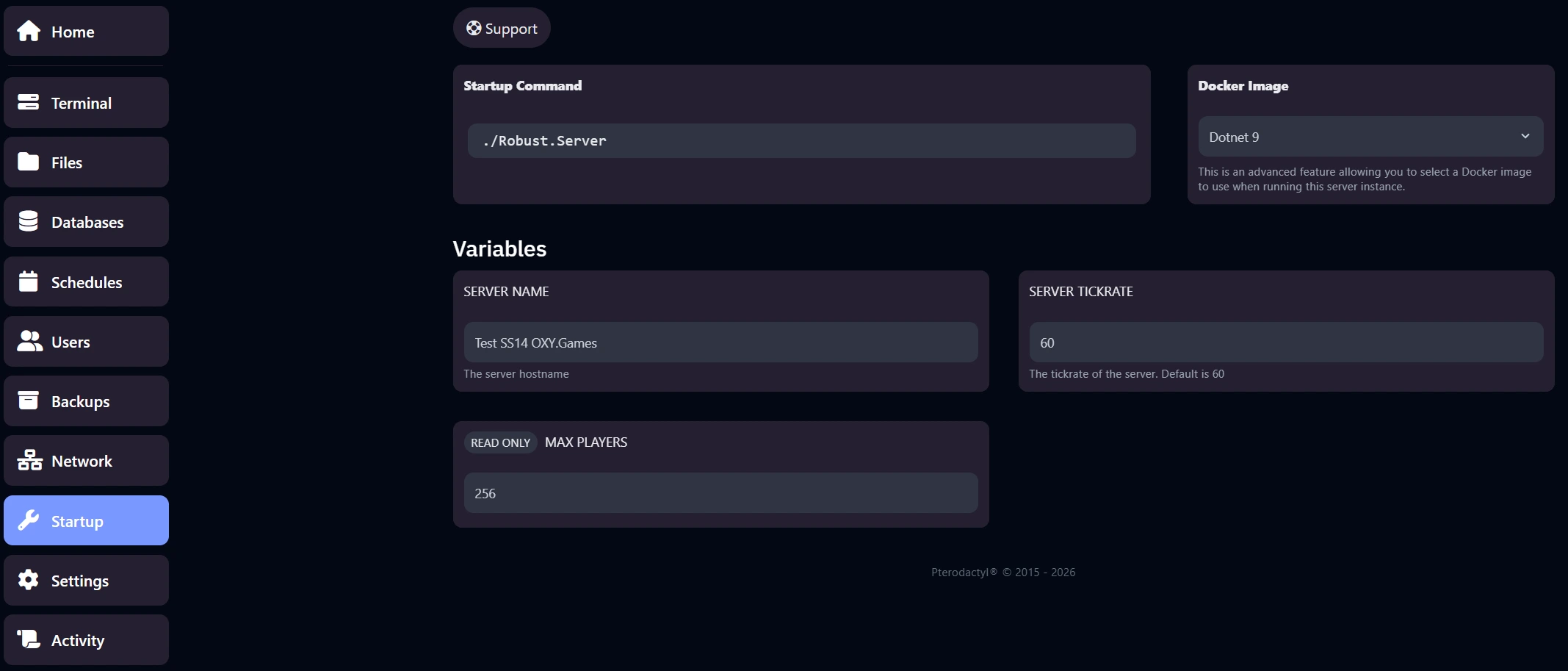
Available Startup settings
Section titled “Available Startup settings”🏷️ Server name (hostname)
Section titled “🏷️ Server name (hostname)”- Controls how your server appears in the server browser
- Changes are applied after a restart
⏱️ Server tickrate
Section titled “⏱️ Server tickrate”- Default value:
60 - Lower values reduce CPU usage
- Higher values increase load and are rarely needed
💡 Tip For most servers, keep the default tickrate unless you know exactly why you want to change it.
📁 Configuration via server_config.toml
Section titled “📁 Configuration via server_config.toml”Some settings are not exposed in the Startup menu and must be configured via file editing.
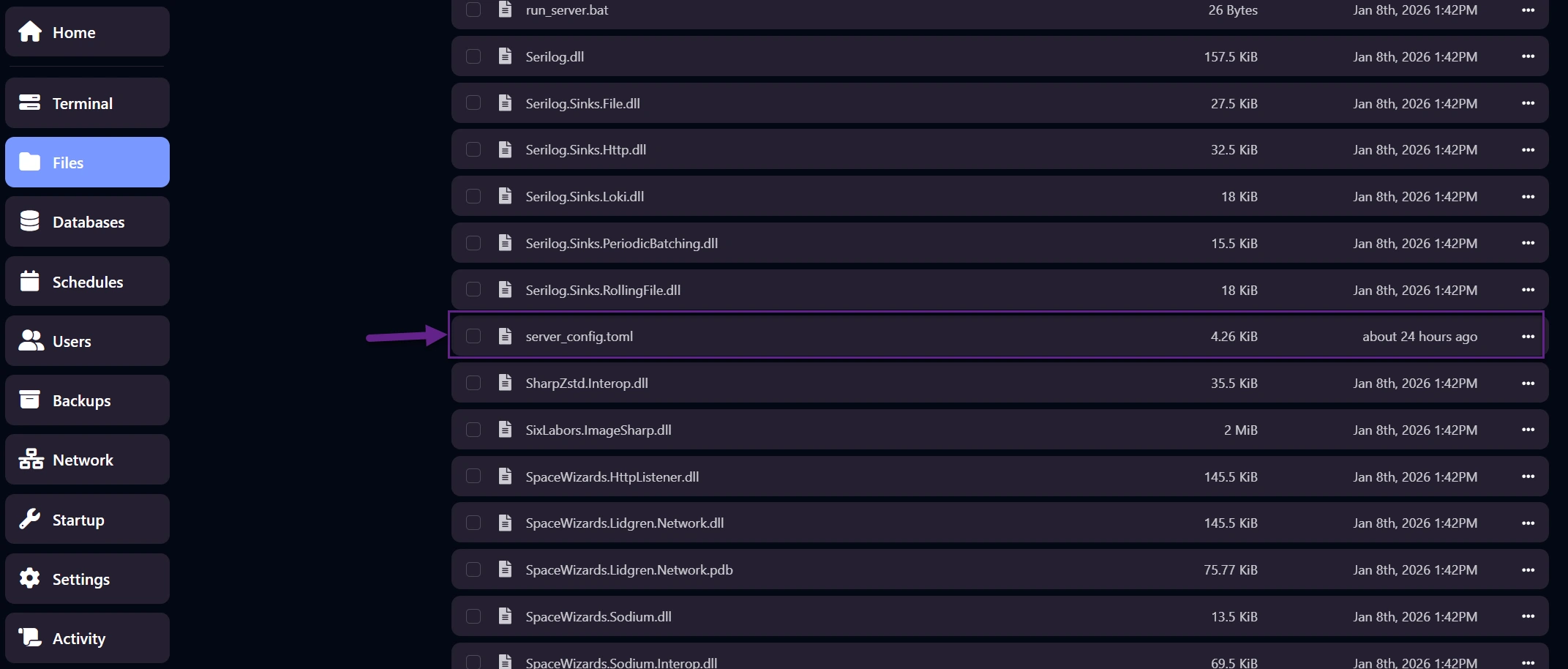
📍 Where to find server_config.toml
Section titled “📍 Where to find server_config.toml”Open the Files section in the control panel. The file is located in the server root directory.
✏️ Editing the config file
Section titled “✏️ Editing the config file”Click server_config.toml to open it in the editor.
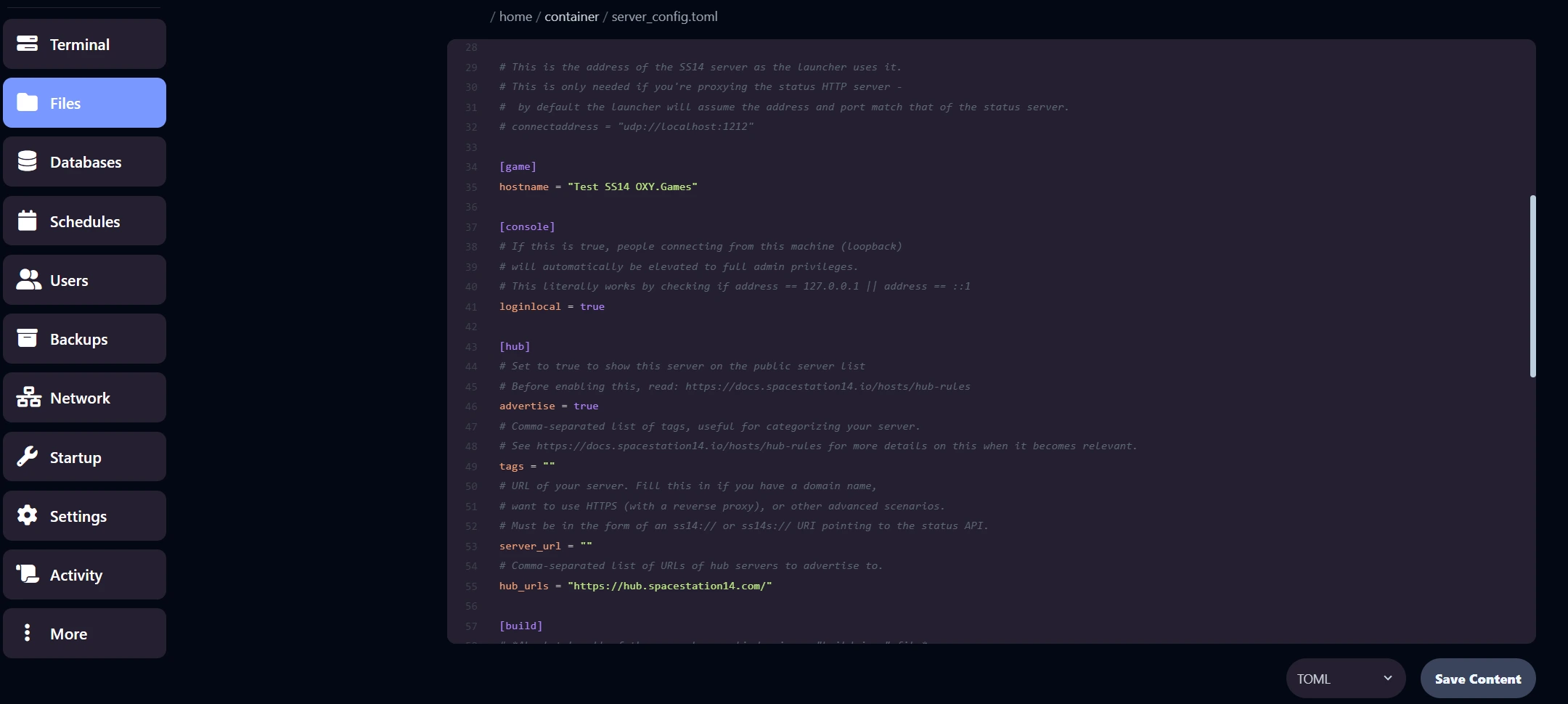
⚠️ Only edit this file. Editing other files may break the server and is unsupported.
🔧 Common basic configuration options
Section titled “🔧 Common basic configuration options”Below are safe and commonly used options you may add or adjust.
🎭 Unlock all professions (disable role timers)
Section titled “🎭 Unlock all professions (disable role timers)”By default, some roles unlock over time.
To make all roles immediately available, add under [game]:
[game]role_timers = false⏳ Lobby duration
Section titled “⏳ Lobby duration”Controls how long players stay in the lobby before a round starts.
Default: 150 seconds (2 minutes 30 seconds)
[game]lobbyduration = 150🚨 Panic bunker
Section titled “🚨 Panic bunker”Limits new connections during raids or attacks.
[game]panic_bunker.enabled = trueTo disable it:
panic_bunker.enabled = false👑 Automatically log in as host
Section titled “👑 Automatically log in as host”Automatically logs in the given user as host (equivalent to promotehost).
[console]login_host_user = "your_username"🔄 Restart required
Section titled “🔄 Restart required”After changing:
- Startup settings
server_config.toml
You must restart the server.

✅ Safe vs unsafe changes (summary)
Section titled “✅ Safe vs unsafe changes (summary)”The terms “safe” and “unsafe” in this guide are meant for basic and inexperienced users.
If you know what you’re doing, most configuration changes are technically safe. However, for standard hosted servers and basic support, we recommend sticking to the supported methods below.
Advanced configuration and custom builds are absolutely possible, but fall outside the scope of this basic guide.
| Change type | Example | For beginners |
|---|---|---|
| Startup menu | Hostname, tickrate | ✅ Safe |
server_config.toml | Lobby, roles, auth | ⚠️ Advanced |
| Custom builds / content | Rules, mechanics, assemblies | 🔧 Expert |
💡 Good to know We don’t block advanced configurations. We simply limit basic support to standard hosted setups. If you’re running a custom build, you’re expected to understand and maintain it yourself.
📚 Reference documentation
Section titled “📚 Reference documentation”For advanced configuration:
These contain many options that are not suitable for hosted servers.
➡️ What’s next?
Section titled “➡️ What’s next?”Continue with:
- Admin & moderation basics
- Enabling a whitelist
- Advanced configuration (custom builds)