

Install mods on your Hytale server
Mods add content and features to your world. The panel’s Mods module installs them for you; a manual upload works for mods that aren’t listed.
What you'll do
- Make a backup
- Install from the Mods module
- Or upload the file to mods/
- Restart the server
Via the Mods module
Section titled “Via the Mods module”-
Make a backup
Section titled “Make a backup”Mods change your world. Take a backup first so you can roll back.
-
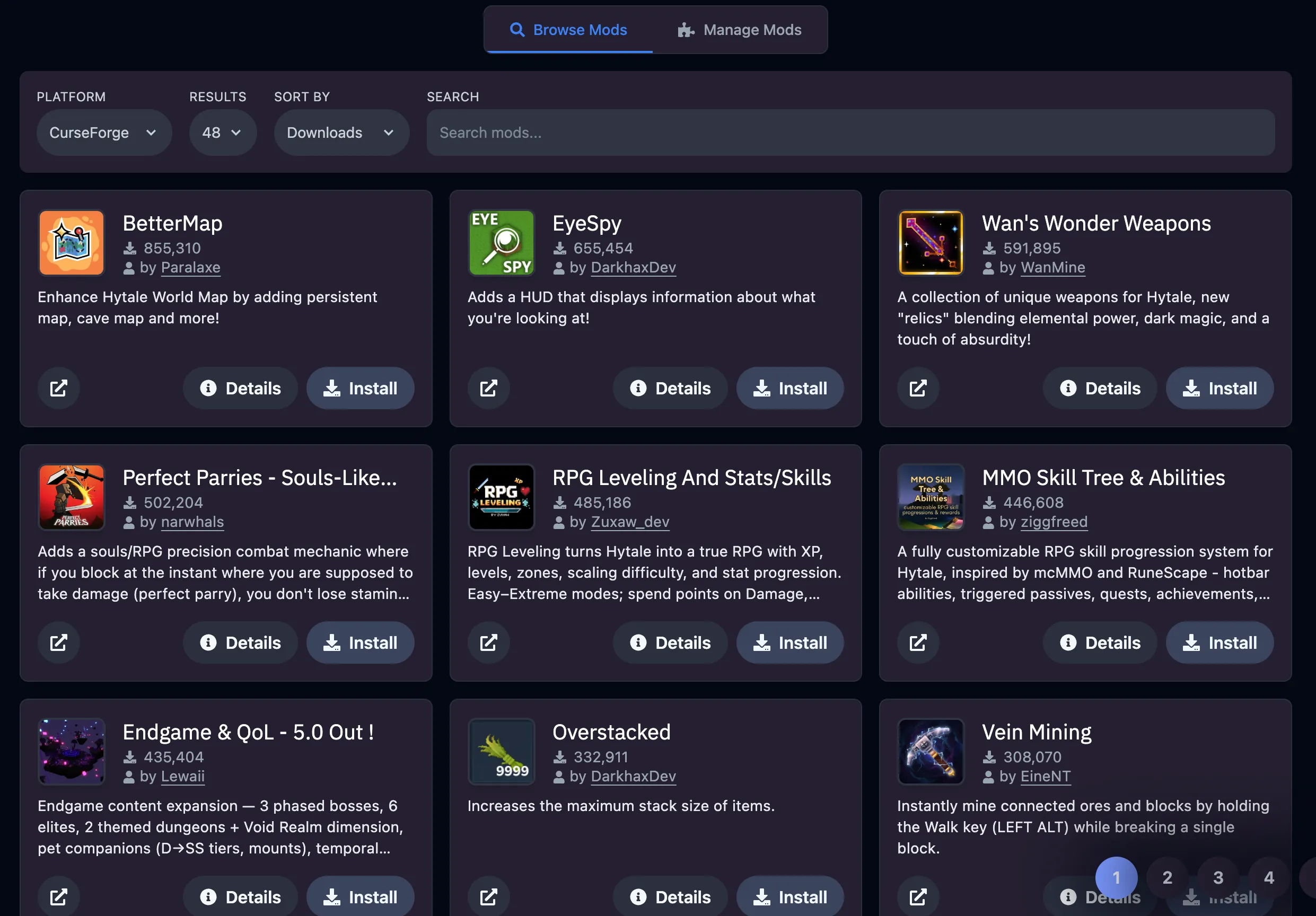
Open the Mods tab
Section titled “Open the Mods tab”In the game panel open your server and go to Mods. Browse or search, or upload a mod file.
-
Install and restart
Section titled “Install and restart”Click Install or Enable on each mod you want, then Restart the server so they load.
Upload a mod file manually
Section titled “Upload a mod file manually”Open Files or connect over SFTP, go into the mods folder, upload the file and Restart the server.
Extra tips
Section titled “Extra tips”- Players don’t install anything for server-side mods. Client-side mods, if a mod needs them, must match on every player’s game.
- After a Hytale update, check that your mods have been updated too before you restart.